Use-case specific computer vision
Custom Computer Vision Models for Your Specific Use Case
- Trained on your data
- Cloud, edge or on-prem
- Proof of concept in 4–6 weeks
1/4We start from your cameras and your edge cases: glare, blur, partial occlusion and night shifts, not a public dataset.
Why custom
Generic models break in real conditions
A demo that works on stock photos still misses your parts, your lighting and your camera angles.
Your objects aren't in the dataset
Public classes don't cover your parts, labels or defects.Benchmarks don't transfer
Scores on public data say little about your factory floor.Too slow, or too costly
Unoptimised models stall on edge devices and burn cloud spend.
| Topic | Generic API or open-source model | Model built for your use case |
|---|---|---|
| Classes | Fixed, generic label set | Exactly the classes your process needs |
| Conditions | Fails on glare, blur and night shifts | Trained on those frames on purpose |
| Speed | Whatever the vendor ships | Tuned to your target device and frame rate |
| Ownership | Rented behind someone's API | You own the weights and the code |
How it works
From one visual task to a running system
A model is one part of it. The pipeline around it is what keeps working next year.

- Stage 1
Define the decision
We agree what the model must decide, which frames count as hard cases, and the accuracy target we will measure against.Written spec and success metric - Stage 2
Collect and label your frames
Images come from your cameras, including glare, motion blur, occlusion and low light. Labels follow written guidelines and get a second review.Reviewed datasetCVATRoboflow - Stage 3
Train and test by condition
Training starts from a pre-trained checkpoint. Results are broken down per condition so weak spots get more data rather than a rounded-up average.Scores per class and conditionPyTorchYOLOVision Transformers - Stage 4
Optimise for the target device
Quantisation, pruning and TensorRT or Core ML export bring the model inside your latency and power budget on the hardware you actually have.Model that meets the frame rateTensorRTONNXCore ML - Stage 5
Deploy and wire it in
The model ships behind an API or onto the device, with results written into your software, PLC or dashboard. Low-confidence frames go to review.Running integrationDockerREST API - Stage 6
Watch it and retrain
Drift and failure cases are logged, corrected and folded into the next training run, so accuracy holds as your environment changes.Retraining loop
What we build
One well-defined visual task at a time
Each engagement targets a single decision, taken from prototype to production.
Object detection
Find and locate specific items in a frame, then count or track them.Output: boxes, classes, countsHow we train detectorsClassification and segmentation
Sort images by your own taxonomy, or map the exact area affected.Output: labels, masks, areasChoosing a modelVideo analytics
Track movement across frames and raise alerts on unsafe or unusual events.Output: tracks, events, alertsSafety monitoringOCR and document AI
Read labels, plates and forms, including rotated and degraded text.Output: structured fieldsDocument processingVisual search and tagging
Match a photo against a catalogue, or tag images by feature automatically.Output: matches, tags, scoresImage search guideEdge AI on Jetson
Real-time inference on the device, with no video leaving the site.Output: results at the cameraEdge deployment
Shipped work
Models running in production
Four use-case specific models, from a phone camera to a hospital imaging workflow.
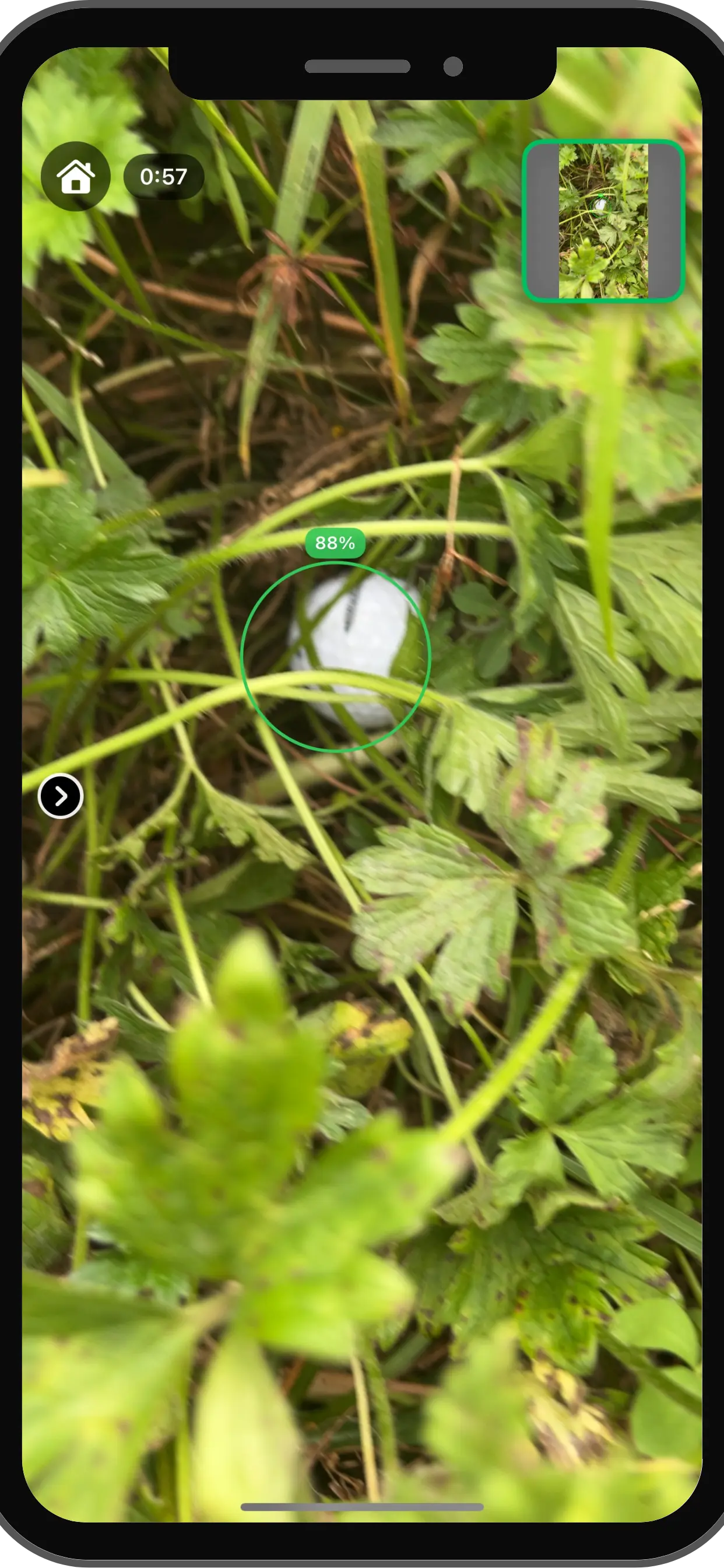 Sports AI & Mobile Computer VisionComputer Vision
Find My Ball: Real-Time AI Golf Ball Detection on Mobile Devices
FMB wanted to build a mobile app that could automatically detect lost golf balls using the phone camera to help golfers quickly locate balls in challenging terrain.
- On-device inference time
- <30ms
- Detection recall
- 92%
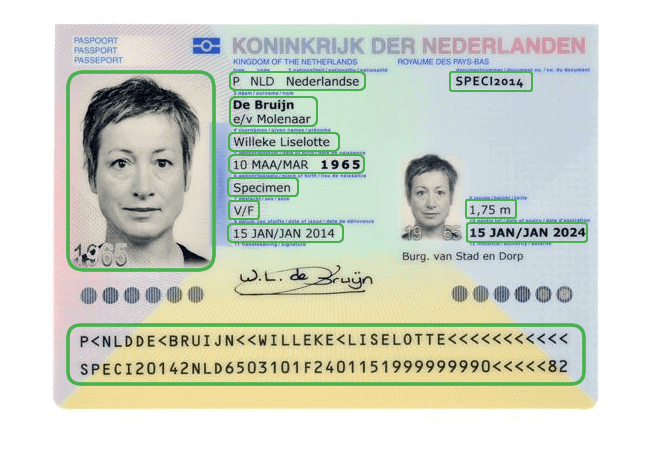 Identity Verification & KYC AutomationIntelligent Document Processing
AI-Powered Passport Verification and Identity Matching
BMedia needed a fast, automated identity verification (KYC) system to replace slow manual passport checks and prevent fraud.
- Data extraction accuracy
- 98%
- End-to-end KYC verification
- <5s
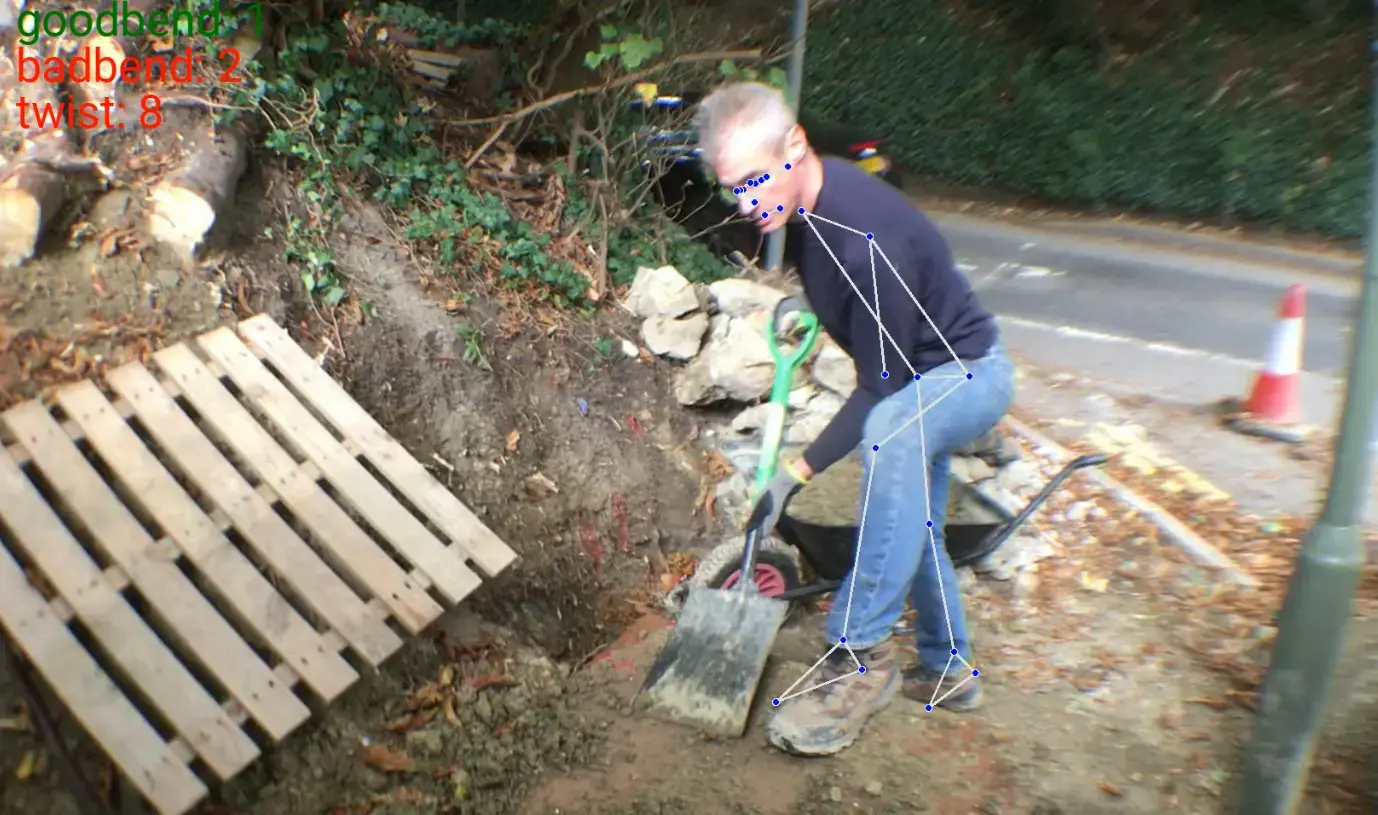 Industrial Safety AIComputer Vision
AI-Powered Human Posture Analysis for Workplace Safety
Human Focus International wanted an AI system to analyze worker posture during heavy lifting to identify unsafe behavior and prevent workplace injuries.
Real-time pose analysis. Biomechanical rule engine. Automated ergonomic feedback.
Read the case study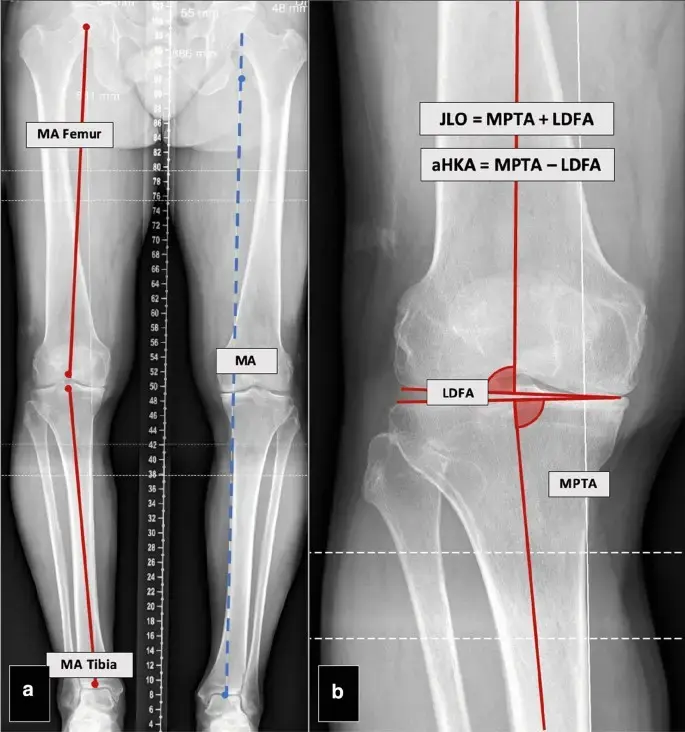 Health & FitnessComputer Vision
X-ray to 3D CT Reconstruction & Knee Alignment Analytics
Traditional CT scans are several times more expensive than X-rays, often delaying critical orthopedic diagnosis. Our client needed a system to reconstruct 3D CT-grade results from standard 2D X-rays to calculate precise bone alignment angles for surgical planning.
2D to 3D reconstruction. Automated angle calculation (CPAK, mHKAA). Enhanced with GANs.
Read the case study
More work in our case studies, and across packaged solutions.
Deployment
It runs where your cameras are
Inference on the device keeps latency low and video on site. Retraining and reporting stay central.
- NVIDIA Jetson, mobile or industrial PC
- Your cloud account, or on-prem
- Results pushed into your own software

API or SDK
Called from your product, ERP or line controller.Your cloud
Deployed in your own account, under your policies.- Sovereign AI
Private and on-prem
For imagery that cannot leave your network. - Security and IP
NDA and IP
You own the weights, code and data.
Getting started
Prove it on your own images first
Step 1: Scoping call
30 minutes
We look at sample frames and your target hardware, and say what is feasible.
- NDA on request
Step 2: Proof of concept
4–6 weeks
A working model on your data, measured against the target agreed up front.
- Accuracy target agreed first
Step 3: Production
Ongoing
Integrated, monitored and retrained as your environment changes.
- You own the IP
FAQ
Questions, answered
What teams ask before a first build.
Need engineers rather than a project? Hire computer vision developers.
This page covers building one model for one specific use case, such as detecting a defect, reading a label or tracking an object in your environment. Our broader computer vision development services also cover consulting, model training programs, edge deployment and managed support.
Generic solutions often struggle in real-world conditions because of unique lighting, camera angles or objects. We train models on your own data, which usually gives much better accuracy and reliability on your specific problem.
You can engage our team for a full project or hire dedicated computer vision engineers. We handle everything from data strategy and model development to optimization and deployment.
Yes. We optimize and deploy custom computer vision models on NVIDIA Jetson, mobile and other edge devices using TensorRT and quantization for low-latency, offline-capable solutions.
We start with domain-specific datasets and use active learning, synthetic data generation and rigorous testing against accuracy targets agreed at the start of the project.
A typical proof of concept takes 4–6 weeks, depending on data readiness and complexity.
Yes. We deliver models with clean APIs, SDKs or direct integration support for your current software, machinery or production lines.
Real estate, construction, manufacturing, logistics, retail, healthcare, security, sports, agriculture and more: any industry that benefits from reliable visual intelligence.
Related
Keep exploring
- Computer visionModel trainingData labelling, training, evaluation and retraining for vision models.
- Computer visionComputer vision developmentDetection, tracking, segmentation and OCR systems built for production.
- Computer visionHire AI engineersDedicated computer vision and ML engineers who join your team.
- Computer visionAll solutionsEvery AI solution we build, by industry and capability.
Case studies
Book a strategy session
Talk to an AI engineer about your project
Tell us what you want to automate. The first call is a 30-minute working session with an engineer, not a sales pitch.
- Send the form, it takes 2 minutes
- We reply within 1 business day, under NDA if you need it
- A 30-minute call to scope feasibility and next steps