For portals, brokerages and PropTech
AI virtual staging API for listing platforms
- Room geometry preserved
- Consistent across angles
- Hosted or in your cloud

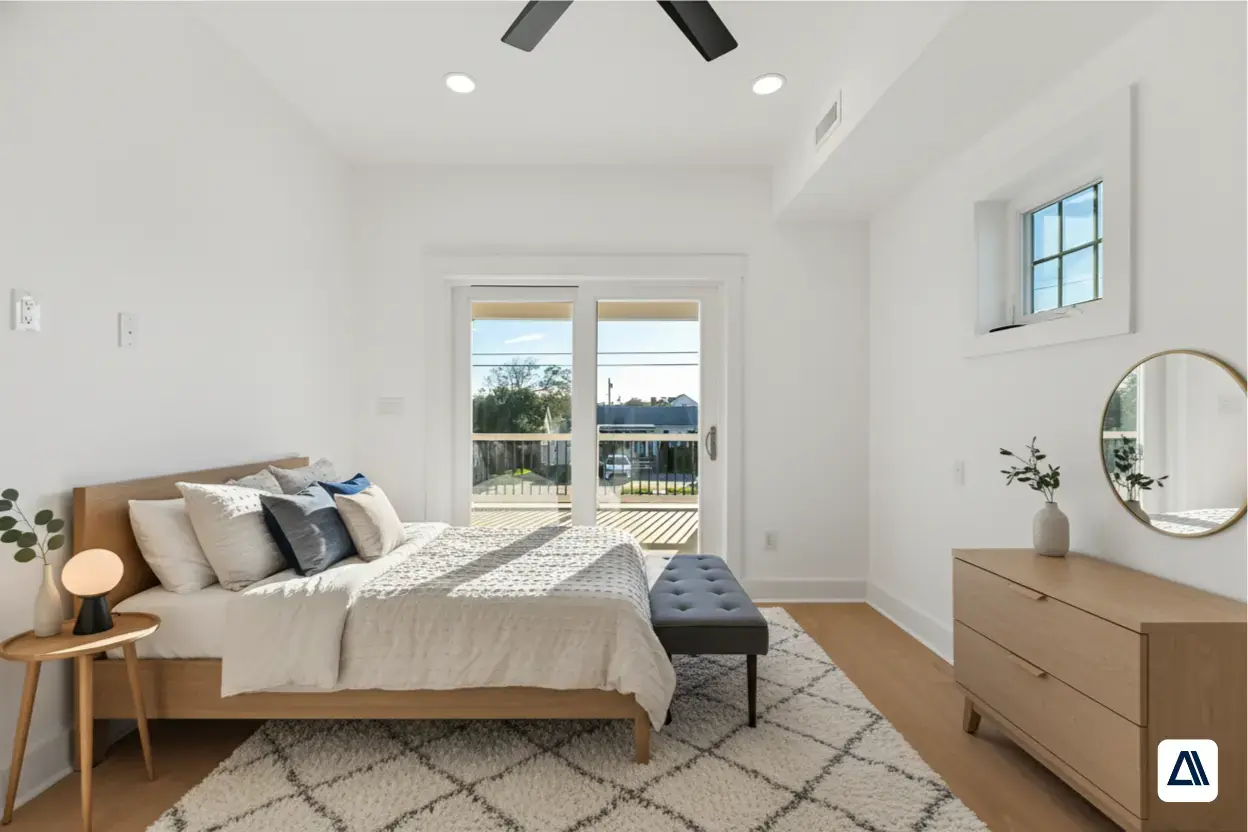
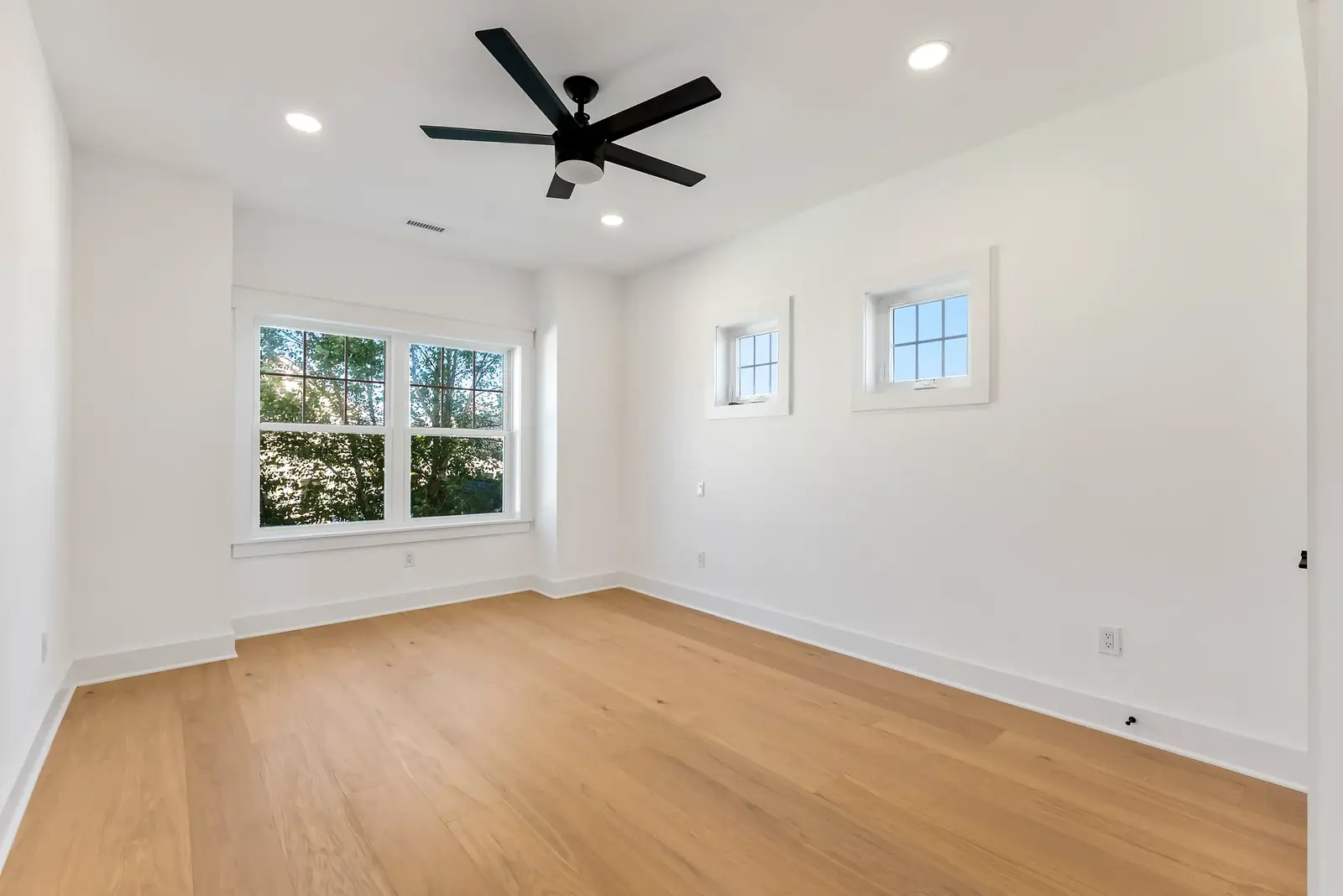
1/4Your platform sends an empty listing photo with the room type. No 3D model or floor plan is needed.
Case study · PropTexx
Staging every empty listing becomes affordable
PropTexx needed enterprise-grade staging. Standard tools were hallucinating flaws: blurring molding, removing windows and generating furniture layouts that could not physically exist. They also needed the same room to look consistent from different angles.
We built a pipeline of high-resolution latent diffusion models with strict ControlNet structural limits. It stages empty rooms in mid-century modern, contemporary or luxury styles while respecting existing lighting, windows and floors. Listings with this staging saw a 40% increase in inbound leads.
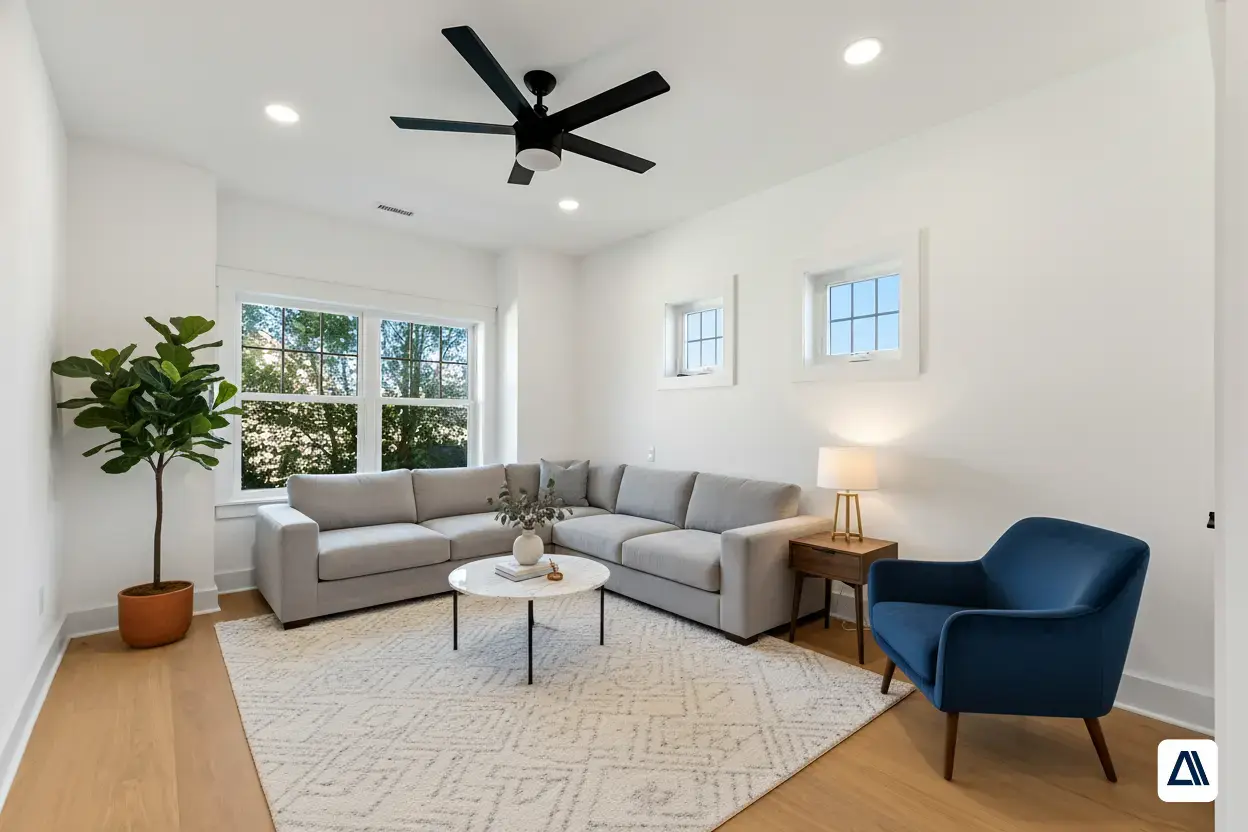
- AI staging cost per image
- ~$0.15
- Lower staging costs in the PropTexx project
- 90%+
- More inbound leads on staged listings
- 40%
- To stage a 50-property portfolio, instead of weeks
- Minutes
Why platforms use it
Empty rooms are hard to sell, and physical staging doesn't scale
Buyers respond to rooms they can picture themselves in. Physical staging is expensive and slow, and generic AI staging introduces flaws that a listing photo cannot have.
Cost per listing
Physical staging is priced per property per month, so most vacant listings never get staged at all.Scheduling delays
Movers, designers and a second photo shoot push the listing date back by weeks.Generic tools break rooms
Blurred molding, missing windows and floating furniture make a photo unusable.Angles don't match
Most tools stage each photo separately, so the same room is furnished differently in every shot.
| Topic | Physical staging | AI staging pipeline |
|---|---|---|
| Cost | Priced per property, per month | About $0.15 per image; over 90% lower in the PropTexx project |
| Speed | Scheduling, delivery and a re-shoot | Seconds per photo, minutes for a 50-property portfolio |
| Styles | One look, chosen once | Mid-century modern, contemporary or luxury on the same photo |
| Structure | Real, but slow | Walls, windows, floors and lighting kept exactly as photographed |
How it works
From empty room to staged photo
Structure first, furniture second. The room is understood before anything is generated, which is what keeps the result usable as a listing photo.
- Walls, windows and floors stay as photographed
- Furniture follows the room's perspective and light
- Multiple angles of one room stay consistent
- Styles chosen per listing, per photo
- Stage 1
Send a room photo
Your platform sends an empty or sparsely furnished listing photo, plus the room type and design style you want.Photo, room type, style - Stage 2
Lock the room's structure
Segmentation masks and conditioning on depth, edge and line maps fix walls, windows, floors and moldings in place before anything is generated.Structure lockSegment AnythingControlNet - Stage 3
Generate the furniture
A latent diffusion model fine-tuned on high-resolution interior photography adds furniture that follows the room's perspective and existing lighting.Staged room in your chosen styleLatent diffusionInpainting - Stage 4
Get the staged image back
The staged photo returns to your system, ready for the listing. For several shots of the same room, a multi-view pipeline keeps furniture consistent across angles.Staged photo via API
In practice
Where staging fits in a listing platform
Stage vacant listings automatically at upload
- Seconds per photo
- Same room, several styles
- Original photo kept alongside the staged one
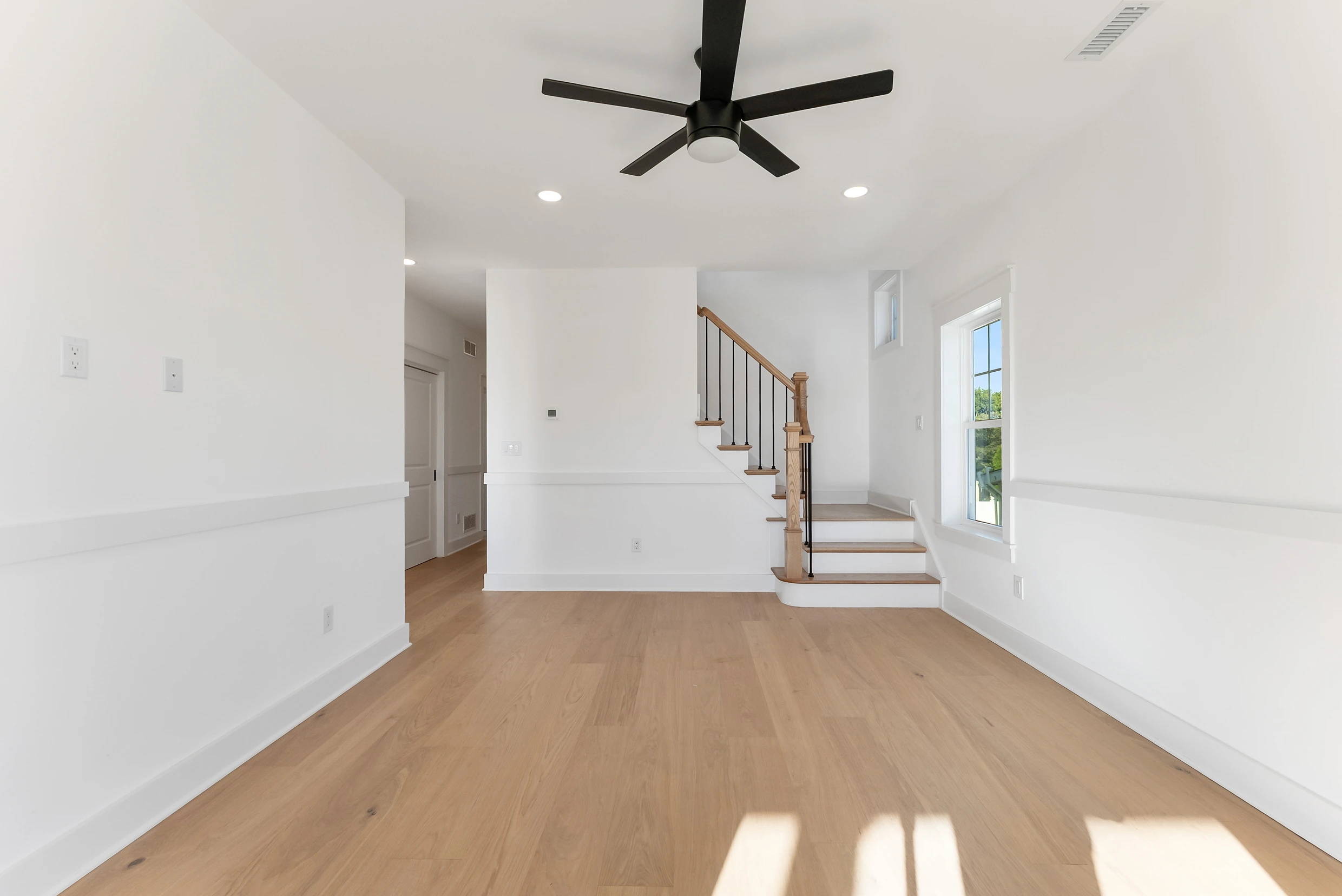
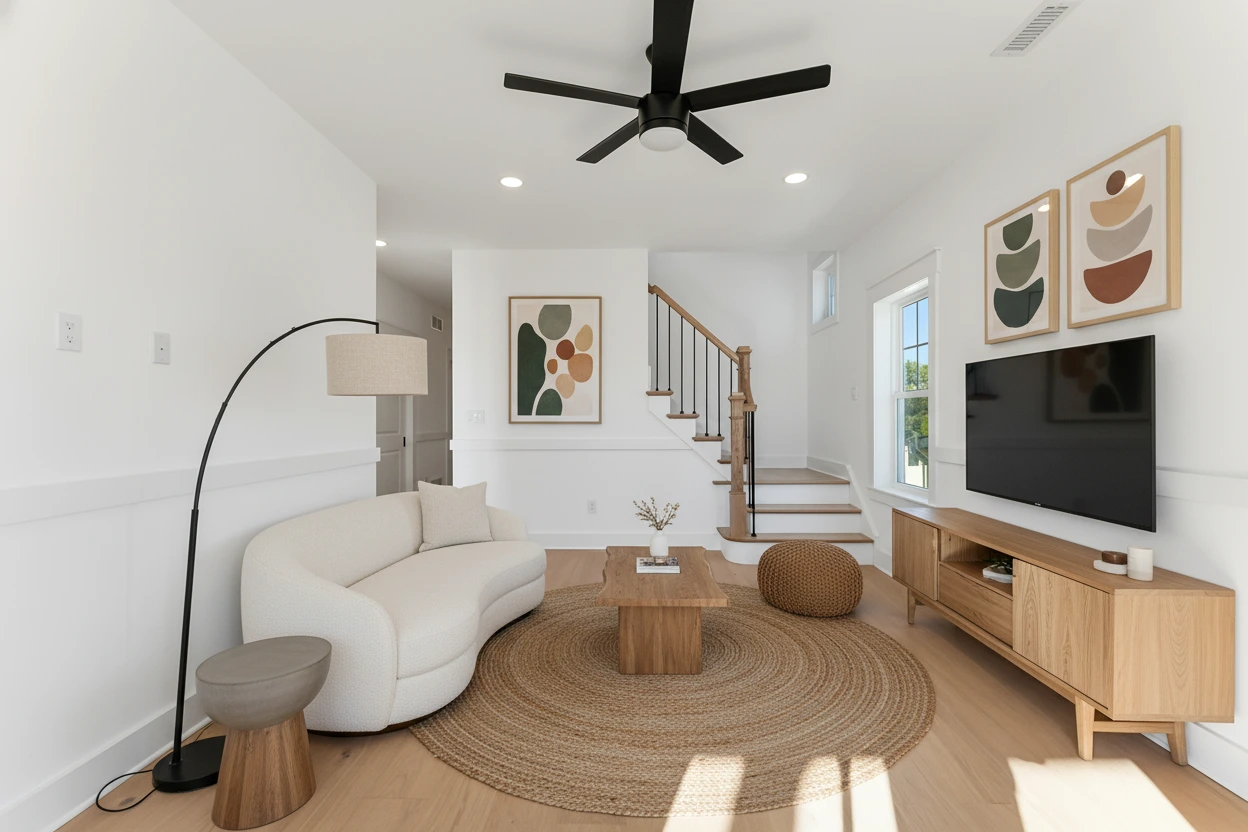
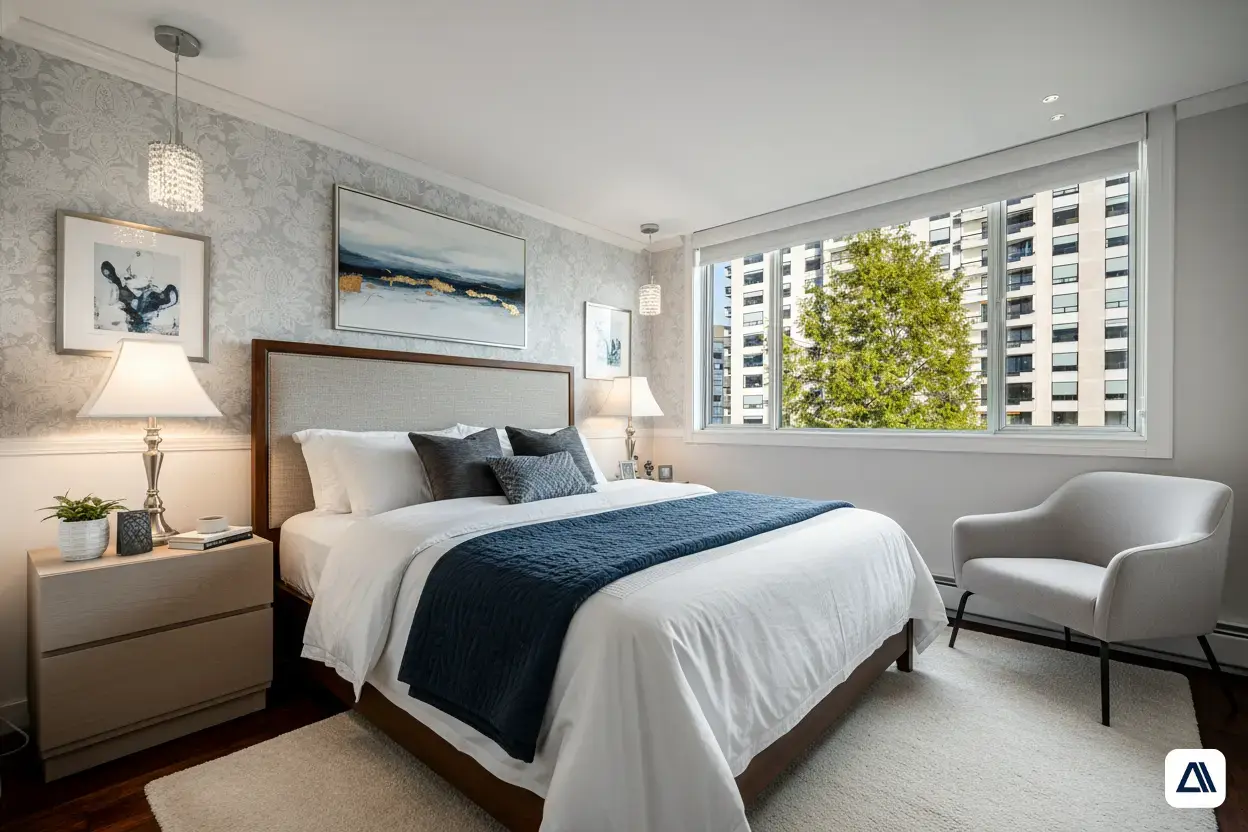
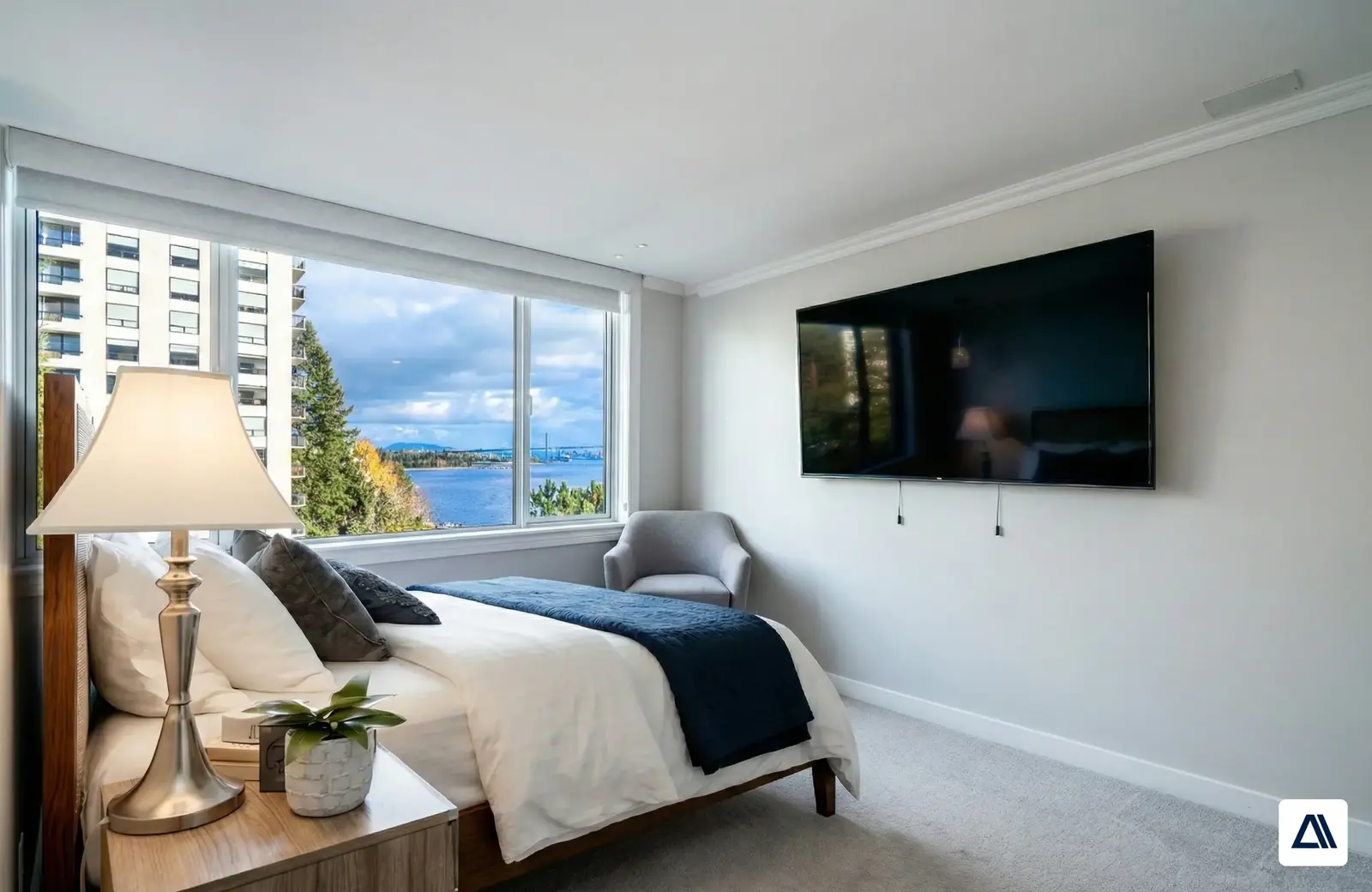
One room, several angles, one furniture layout
- Furniture placement shared across shots
- Lighting matched to each photo
- Works with the room's real windows and views
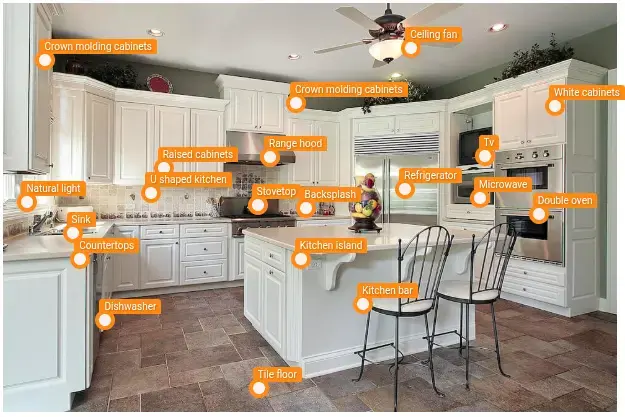
Staging plus tagging and compliance in one flow
- Feature tags for search filters
- Compliance and PII checks at upload
- Staged and original versions tracked together
Integration
Plug staging into your listing workflow
Offer staging as an upsell to agents, stage vacant listings automatically at upload, or run batch jobs over existing inventory.
PropLabs, our PropTech arm, publishes the staging model on Replicate with the endpoint shape, typed inputs and cURL, Python and Node examples written up.
PropLabs API documentation (opens in a new tab)Hosted API
Call the staging pipeline over HTTPS from your upload flow or batch jobs. The same pipeline is live on Replicate, so your engineers can test it today.Deployed in your cloud
For platforms with strict data rules, we deploy the pipeline inside your own AWS, GCP or Azure account.A model you own
If staging is core to your product, we fine-tune a custom model on your style guide and photo standards, and you own it outright.Your style guide
Style presets follow your brand and the expectations of your market, not a generic look.
API trial
Get an API trial for your listings
Tell us about your platform and listing volume. We'll set you up with access to the production staging pipeline so you can test it on your own photos.
- Test on your real listing photos
- Talk to the engineers who built the pipeline
- Reply within 1 business day
Getting started
From a test on Replicate to production staging
Step 1: Try the live pipeline
Today
Run a few of your own empty room photos through the pipeline on Replicate and judge the output yourself.
Step 2: API trial on your listings
Reply within 1 business day
We set up access to the production pipeline so you can test it at your own volume and photo standards.
Step 3: Production or a custom model
4–6 weeks
Go live on the hosted API, deploy inside your cloud, or have us fine-tune a staging model you own.
FAQ
Virtual staging API questions
What platform teams ask before integrating.
Looking at the wider picture? See all real estate AI solutions.
Our AI staging costs about $0.15 per image. In our PropTexx project, AI staging cut staging costs by over 90%. For API pricing at your volume, tell us how many listings you handle per month when you request a trial.
A single photo is staged in seconds. In the PropTexx project, an agency could stage a 50-property portfolio in minutes instead of weeks.
It is designed not to. Generic staging tools often blur moldings, remove windows or produce impossible furniture layouts. Our pipeline uses ControlNet structural conditioning and segmentation masks so the room’s geometry, windows, floors and lighting stay as they are, and only furniture and decor are added.
The pipeline can stage rooms in styles such as mid-century modern, contemporary and luxury. For a custom model, we can train it on your own style references.
Yes. The premium pipeline and a free version are live on Replicate. For API access on your own listings, request a trial using the form on this page.
Usually, yes. Disclose virtually staged photos per your MLS rules, and follow any portal or local requirements that apply to your listings.
Related
Keep exploring
- PropTechListing image taggingProperty features tagged and compliance issues caught on every listing photo.
- IndustriesAI for real estateStaging, image tagging, valuation and document AI for brokerages and PropTech platforms.
- LLMs & agentsGenerative AI for mosaic artText-to-design generation turned into manufacturable tile layouts.
- PropTechAI property valuationValuation and forecasting models that combine listings, images and layouts.
Book a strategy session
Planning staging for a whole platform?
If you need a custom model, a deployment in your own cloud, or staging combined with image tagging and MLS compliance checks, tell us about your platform. We reply within one business day.
- Send the form, it takes 2 minutes
- We reply within 1 business day, under NDA if you need it
- A 30-minute call to scope feasibility and next steps