Industrial safety AI
Computer Vision for Workplace Safety
- Works with existing RTSP cameras
- Runs on site, online or not
- Timestamped evidence for HSE
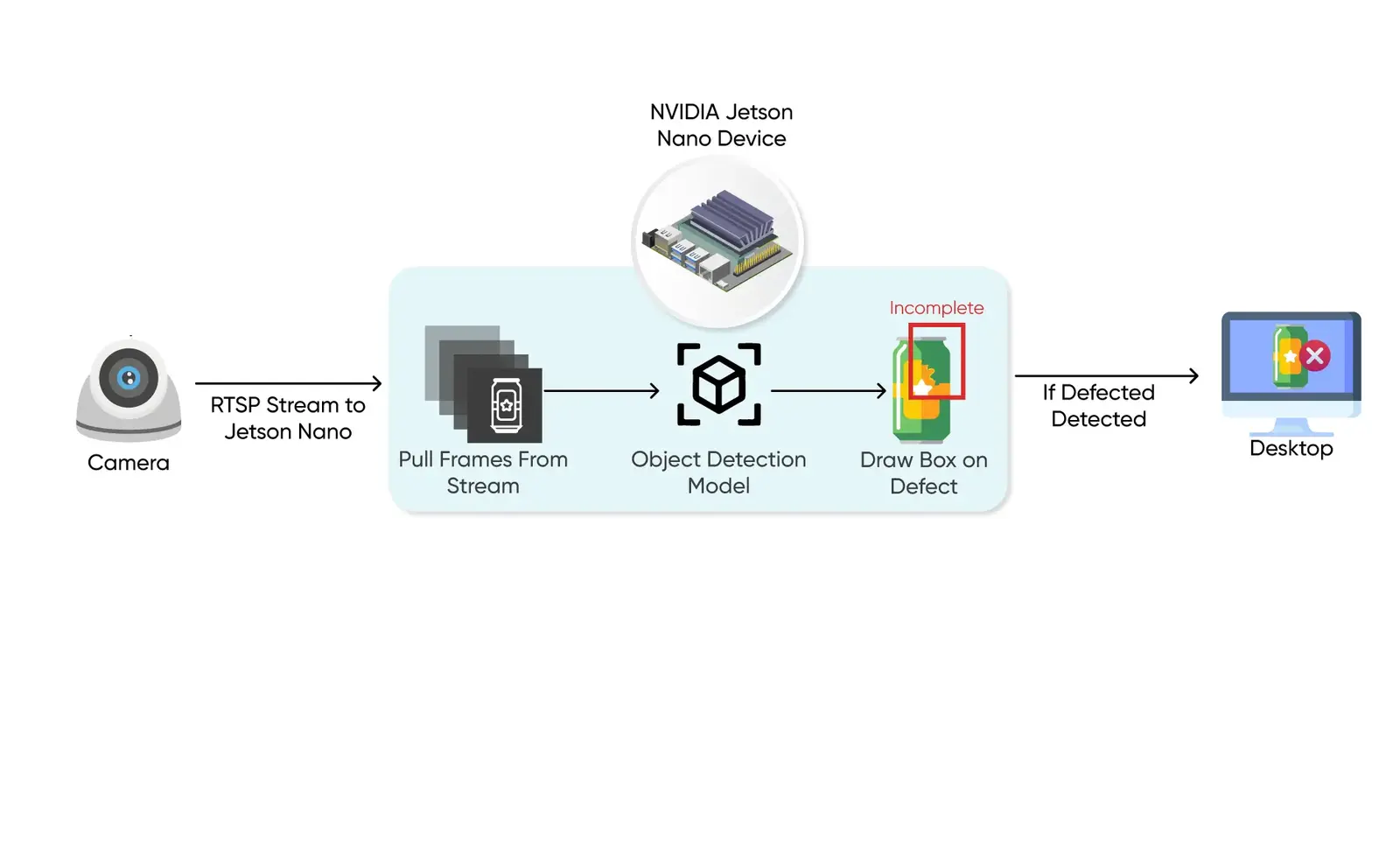
1/4Frames come from the cameras you already have, over RTSP, and are processed on an edge device on site.
Why it matters
Cameras record incidents. They rarely prevent them.
Most sites already have full camera coverage, but footage is only reviewed after something goes wrong. Safety walks catch a few minutes of a shift, and the paperwork that follows is written from memory.
Nobody watches the wall
Dozens of feeds, one or two people. Violations pass unnoticed until an incident forces a review.Spot checks miss most of the shift
A supervisor's round covers minutes. Risk is spread across the whole day and every aisle.Evidence is thin
Audits need what happened, where and when. Recollection and a form are not evidence.Repeat patterns stay hidden
Without consistent logging, no one can see which zone, shift or task keeps producing near misses.
| Topic | Manual safety supervision | Vision-based safety monitoring |
|---|---|---|
| Coverage | Walkarounds and occasional footage review | Every monitored camera, every minute of the shift |
| Response | Found after the incident | Alert to a supervisor seconds after the rule breaks |
| Evidence | Written from memory after the fact | Timestamped event with the snapshot that triggered it |
| Trends | Anecdotes about problem areas | Counts per zone, camera, rule and shift |
How it works
From camera feed to alert, on site
Inference happens on a device in your building, so raw video never has to leave the network and monitoring survives an outage. Only events and snapshots are sent onward.
- Stage 1
Connect the cameras you have
Standard RTSP and ONVIF streams are pulled into an edge gateway. No new cameras, no rewiring, and you choose which views are monitored.Frames from selected camerasRTSPONVIF - Stage 2
Detect people, gear and vehicles
Detection models find people, hard hats, vests and equipment such as forklifts, and a tracker keeps a stable ID for each person as they move between frames.Tracked objects per frameYOLO detectorsMulti-object tracking - Stage 3
Estimate posture and position
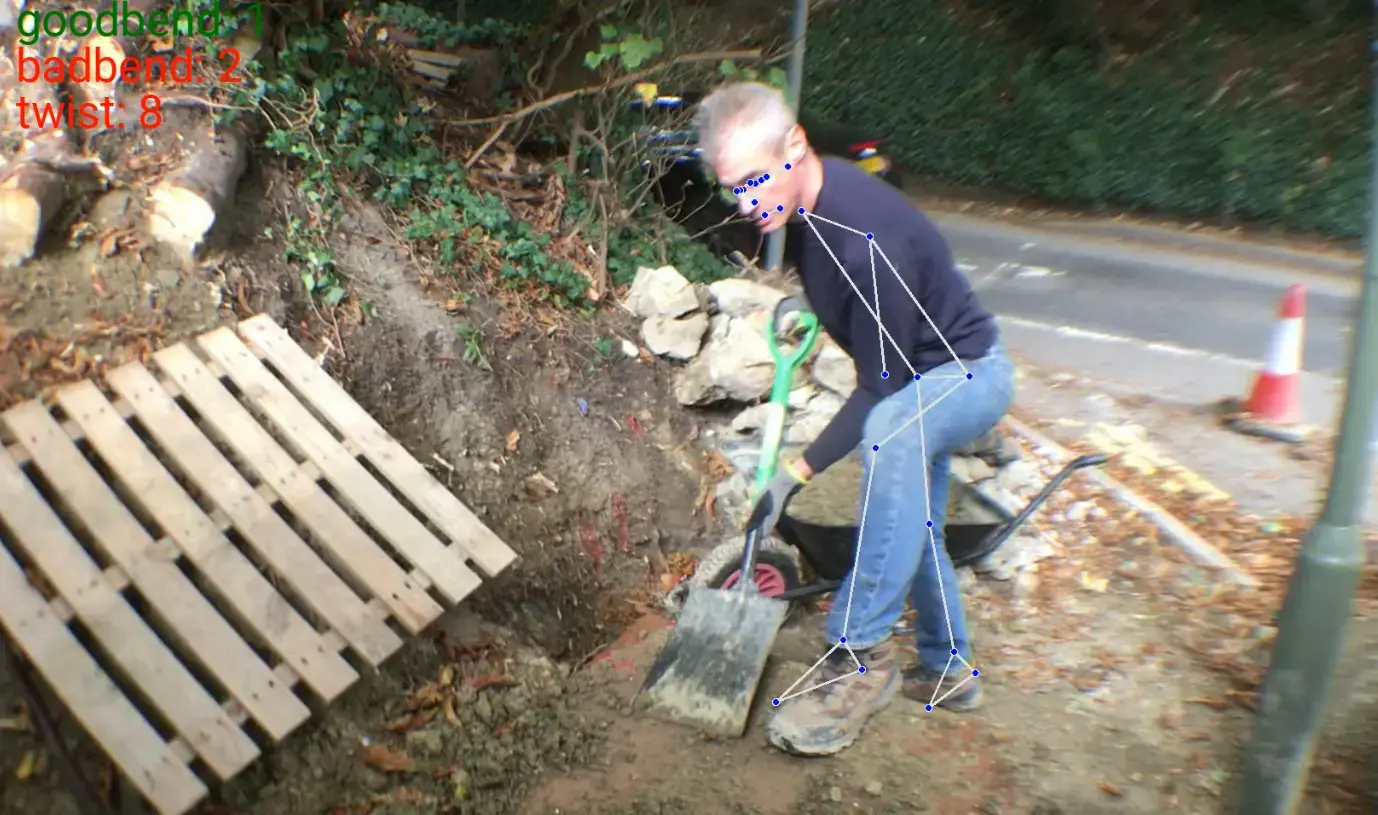
Pose estimation locates shoulders, hips and knees, so lifting technique can be judged, and each track is mapped onto the zones you drew on the floor plan.Joint angles and zone occupancyPose estimation - Stage 4
Apply your site rules
A rules engine turns detections into decisions: PPE required in this area, no pedestrians in the forklift lane, no bending from the hips under load. Thresholds and dwell times are tuned to cut noise.Violations, not raw detectionsRules engine - Stage 5
Alert the right person
An alert goes to the supervisor's dashboard or phone with a snapshot and the camera and zone, and can drive a local beacon or horn where a second matters.Alert with evidence - Stage 6
Log and report
Every event is stored with time, camera, zone, rule and snapshot, so HSE teams can review incidents and see which areas and shifts need attention.Audit-ready incident logDashboardAPI
What it watches for
Rules built around your site, not a generic checklist
We start with the rules that matter on your floor and train for the gear and vehicles you actually use.
PPE detection
Hard hats, hi-vis vests, gloves, masks and eye protection, checked per person and per area rather than as a site-wide rule.Missing gear flagged per personForklift and pedestrian separation
Vehicles and people tracked together, with the distance between them estimated so a warning fires before paths cross.Proximity warnings in the aisleRestricted zone monitoring
Zones drawn once on the camera view: machinery cells, high-voltage areas, loading bays. Entry without authorisation raises an event.Zone entries with timestampsLifting posture and ergonomics
Pose estimation plus a biomechanical rule engine flags bending from the hips, twisting under load and other high-risk movements.Joint angles per liftPosture analysis case studyBlocked exits and walkways
Pallets, equipment or stock left in front of a fire exit or in a marked walkway are detected and reported for clearing.Obstruction alerts by locationWorking at height and ladder use
Climbing on racking, ladder misuse and work at height without fall protection can be trained as site-specific rules.Custom rules on your footageCustom model training
In practice
Where we have put safety vision to work
Posture analysis for manual handling
- Shoulders, hips and knees located per frame
- Joint angles checked against ergonomic rules
- Instant feedback for training and monitoring
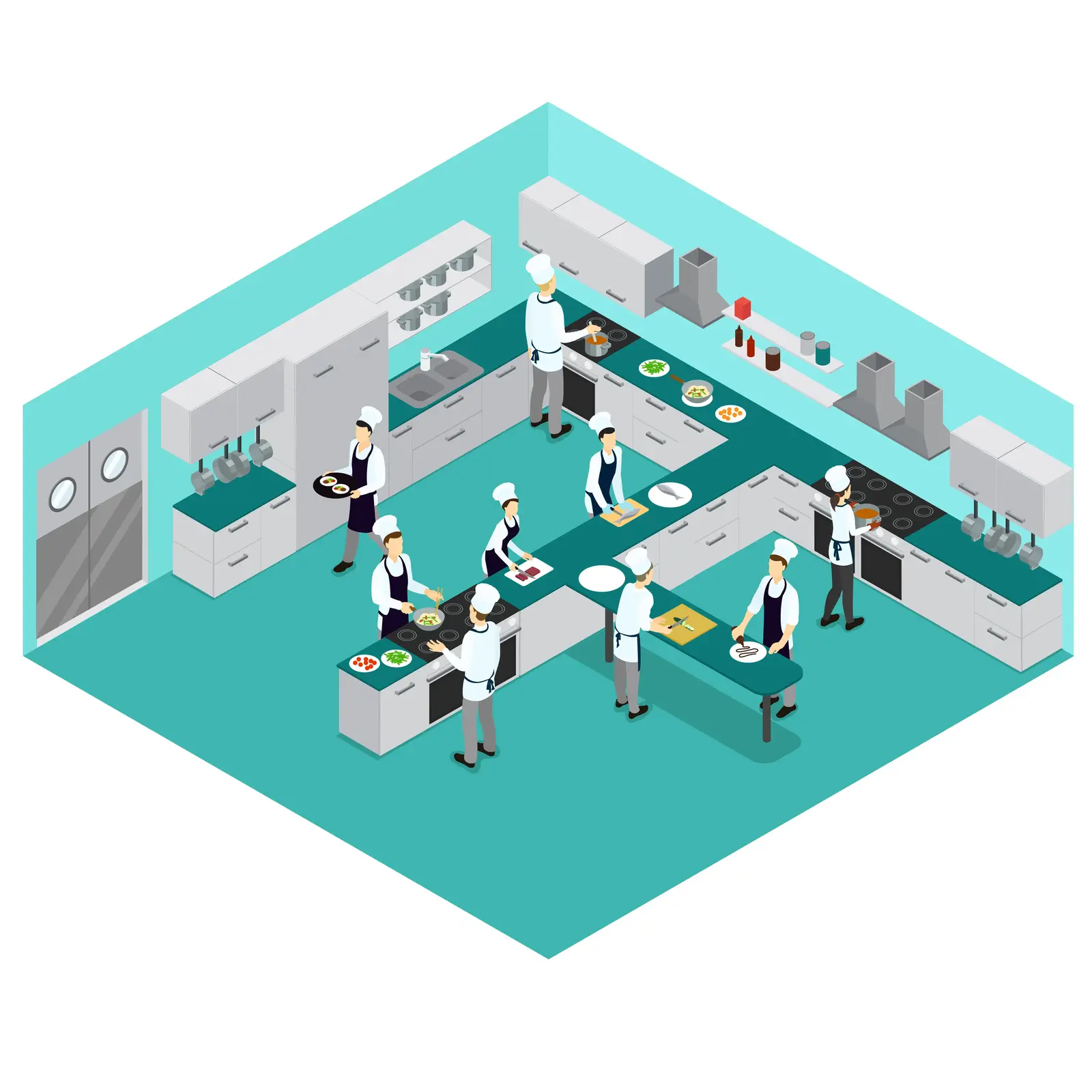
Kitchen and food-safety compliance
- Gloves, hairnets and masks checked per person
- Prep and service timings measured from video
- Events tied into POS and operations dashboards
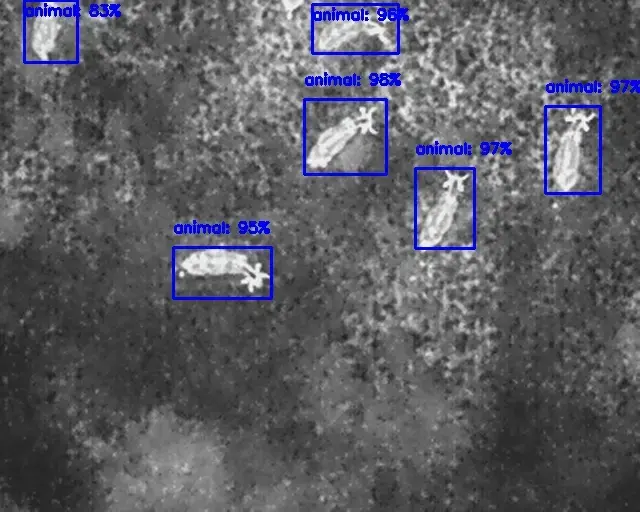
Wide-area monitoring from drones
- Thermal first pass over a wide area
- High-resolution confirmation pass
- Detections streamed back for response
Deployment
On-site inference, because safety cannot wait for the cloud
Sending every frame to a cloud API adds latency, bandwidth cost and a privacy problem. We run detection on the edge and send only events upstream. Our guide on edge AI vs cloud AI walks through the trade-offs.
- Edge deployment
Edge hardware
NVIDIA Jetson or an on-prem server, sized to the number of cameras. Works offline
Monitoring and local alarms keep running through a network outage.Privacy first
Faces can be blurred on the device, with only events leaving the site.Integrations
Events to your dashboards, HSE tooling or an API, plus local beacons and horns.
Getting started
Start with one area and a handful of cameras
Prove the rules on real footage from your site before rolling out across the estate.
Step 1: Scoping call
30 minutes
We review sample footage, your camera setup and the rules you need, and tell you which are feasible today.
- NDA on request
Step 2: Proof of concept
4–6 weeks
One area, your cameras and your PPE. We tune detection and thresholds until alerts are trusted rather than ignored.
- Accuracy measured on your footage
Step 3: Rollout
Ongoing
More cameras and sites, edge devices installed, dashboards connected, models retrained as the site changes.
- You own the IP
Not sure where vision would pay off first? An AI Opportunity Audit maps the options in 3–5 business days.
FAQ
Questions, answered
What operations and HSE teams ask before a pilot.
Building on a construction site? See our construction and AEC work.
Yes. Our software integrates with standard RTSP/ONVIF CCTV cameras, turning your current hardware into an AI-powered safety monitoring network.
Yes. We specialize in hard hat and vest detection, and can fine-tune models for the specific equipment your workforce requires.
The system estimates the distance between forklifts and pedestrians in real time, triggering audible and visual alarms before a potential collision occurs.
Yes. Our privacy-first approach can blur faces locally while still detecting safety violations like missing PPE.
Yes. We deploy on edge hardware like NVIDIA Jetson so safety monitoring keeps running on-site even during network outages.
The system auto-logs every detected violation with timestamped snapshots, providing clear evidence for HSE reviews and regulatory compliance.
A proof of concept on your own camera footage typically takes 4–6 weeks. We agree the rules and the alert thresholds up front, then tune them on your site before anything goes live to supervisors.
Related
Keep exploring
- Computer visionEdge deploymentModels optimised for NVIDIA Jetson, mobile and on-prem hardware.
- IndustriesConstruction and AECDrawing intelligence for estimators, builders and compliance teams.
- Computer visionCustom computer vision modelsModels trained on your own images, video and edge cases.
- LLMs & agentsSovereign AIPrivate LLMs and vision models on your own servers, VPC or air-gapped network.
Book a strategy session
Talk to an AI engineer about your project
Tell us what you want to automate. The first call is a 30-minute working session with an engineer, not a sales pitch.
- Send the form, it takes 2 minutes
- We reply within 1 business day, under NDA if you need it
- A 30-minute call to scope feasibility and next steps