- TensorRT accelerated
- JetPack 6.0 ready
The pipeline strategy
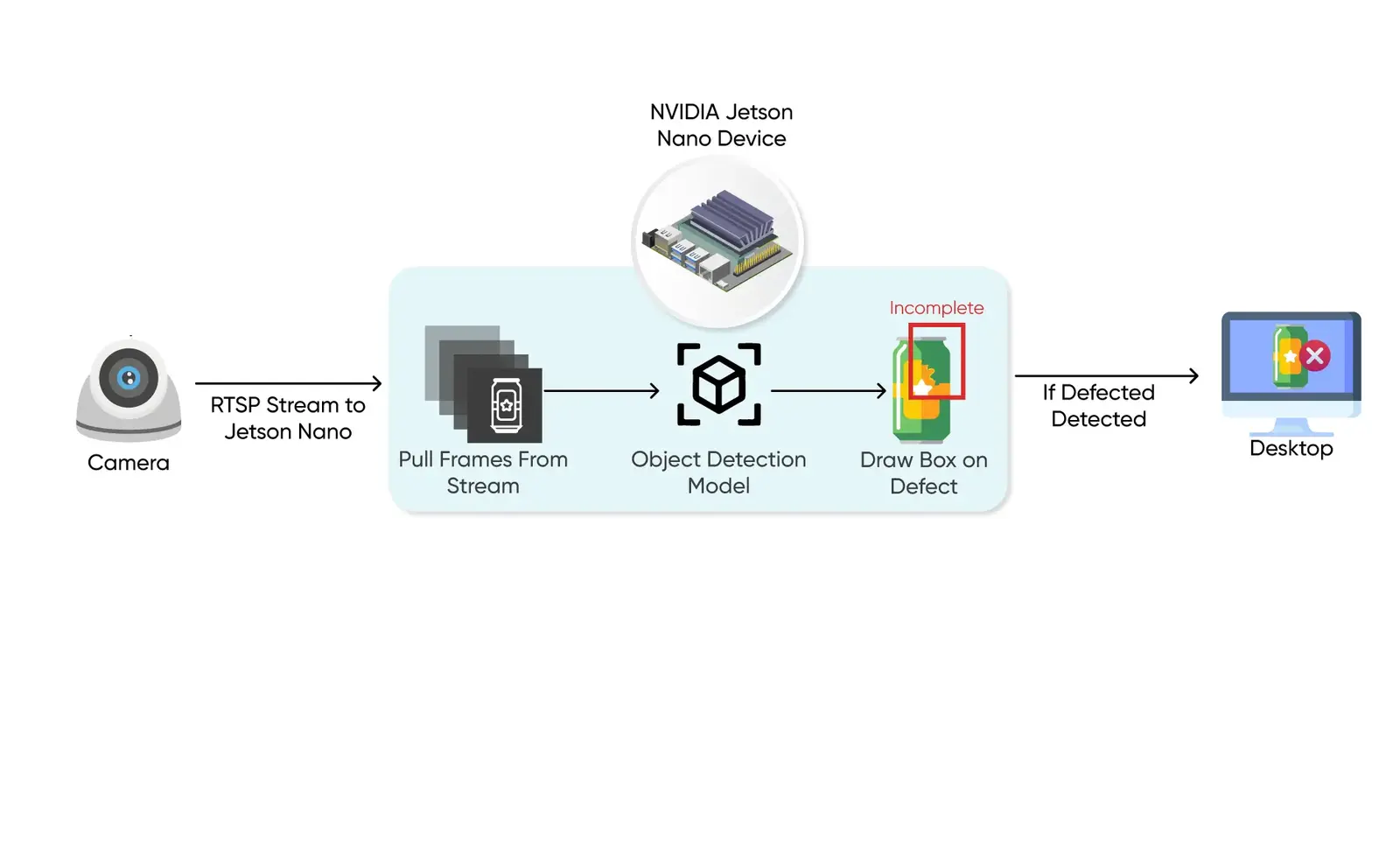
For high-stakes computer vision, simple inference is not enough. You need a low-latency vertical queue that manages raw camera streams, TensorRT engines and downstream logic.
- Async buffer management
- FP16/INT8 quantization
- NVENC hardware encoding
Step 01
Environment setup
Proper Jetson deployment begins with a clean environment. We recommend JetPack 6.0 (Ubuntu 22.04 core) to leverage the newest CUDA and cuDNN libraries.
# Update sources and install core dependencies
sudo apt update && sudo apt upgrade -y
sudo apt install python3-pip libopenblas-base libopenmpi-dev -y

# Verify CUDA visibility
nvcc --version
Step 02
Install Ultralytics and TensorRT support
We use the Ultralytics framework but optimize it for NVIDIA's backend. This allows us to scale from prototyping in PyTorch to production in TensorRT with minimal code changes.
# Install ultralytics
pip3 install ultralytics

# Ensure tensorrt is installed via pip for Python bindings
pip3 install tensorrt
Step 03
Model compilation & TensorRT export
Exporting to a .engine (TensorRT) file is vital for edge inference speed. On Jetson Orin NX, compiling a model reduces latency from ~45ms in PyTorch to under 5ms.
YOLOv10 (NMS-free): YOLOv10 features a consistent dual-assignment design, removing the need for Non-Maximum Suppression (NMS) during inference. This bypasses Orin's CPU NMS bottleneck completely.
from ultralytics import YOLO

# Load PyTorch weight for YOLOv10 (e.g. Nano version)
model = YOLO("yolov10n.pt")

# Export directly to TensorRT format with FP16 precision
# Note: NMS-free architecture exports automatically without downstream NMS nodes!
model.export(format="engine", half=True, device=0)
YOLO-World (open vocabulary): To deploy YOLO-World on Jetson, first define custom query classes to lock down the model's vocabulary. This optimizes engine size and speeds up bounding box detection.
from ultralytics import YOLOWorld

# Load open-vocabulary model
model = YOLOWorld("yolov8s-worldv2.pt")

# Define specific target categories (e.g., forklift, safety vest, helmet)
model.set_classes(["forklift", "safety vest", "helmet"])

# Export locked vocabulary engine for NVIDIA TensorRT
model.export(format="engine", half=True, device=0)
Those three classes are the kind of vocabulary behind safety monitoring on a live site.
Step 04
Inference execution script
To run inference with the compiled engines on edge cameras, use a high-performance Python script. For YOLOv10, post-processing is entirely handled by the TensorRT engine without any CPU overhead:
import cv2
from ultralytics import YOLO

# Load the compiled YOLOv10 TensorRT engine
model = YOLO("yolov10n.engine", task="detect")

# Read RTSP video feed with hardware-accelerated decode
cap = cv2.VideoCapture("rtsp://admin:[email protected]:554/ch1")

while cap.isOpened():
    ret, frame = cap.read()
    if not ret: break

    # Run direct on-device TensorRT inference (FP16 half-precision)
    # YOLOv10 skips NMS clustering entirely, returning predictions directly!
    results = model.predict(source=frame, stream=True, verbose=False)

    for r in results:
        # Extract direct bounding boxes and class IDs
        boxes = r.boxes.xyxy.cpu().numpy()
        scores = r.boxes.conf.cpu().numpy()
        class_ids = r.boxes.cls.cpu().numpy()

        # Trigger downstream operational logic here...
        pass

cap.release()
Step 05
Expert tip: multi-camera concurrency
Thermal throttling prevention
Industrial Jetsons can throttle performance under heavy multi-stream loads. We implement thermal-aware batching that dynamically scales frame-skipping based on chip temperature (accessible via tegrastats).
Step 06
Orin hardware performance benchmarks
Here are typical inference speeds achieved when we deploy YOLOv8, YOLOv10 and YOLO-World on Orin-series hardware modules using FP16 TensorRT quantization:
FP16 TensorRT throughput
| Model family | Input size | Jetson Orin NX (20W) | Jetson AGX Orin (50W) |
|---|---|---|---|
| YOLOv8 Nano (detect) | 640px | 145 FPS | 420 FPS |
| YOLOv10 Nano (NMS-free) | 640px | 160 FPS | 465 FPS |
| YOLOv8 Medium | 640px | 48 FPS | 150 FPS |
| YOLO-World Small (3 classes locked) | 640px | 38 FPS | 115 FPS |

