Getting an open-weight model answering on your own hardware takes less work than most teams expect. Getting it to serve a department reliably takes rather more, and the gap between those two is where sovereign AI projects actually live.
This walkthrough covers the first part honestly and then explains the second, because a tutorial that stops at "it responded" has told you very little about whether you can deploy it.
We use vLLM here. It is a widely adopted open-source inference server, it handles batching and KV cache management well, and it exposes an OpenAI-compatible API — which matters more than it sounds, since it means most existing tooling points at it with a URL change.
What you need first
- A Linux host with an NVIDIA GPU and recent drivers, with CUDA available.
- Enough VRAM for the model at your chosen quantization. Work this out before you start; what GPUs you need to self-host an LLM covers the calculation.
- Python 3.9 or later.
- The licence for the model you intend to run, actually read. Weights being downloadable does not mean you may use them commercially.
Step 1: Install
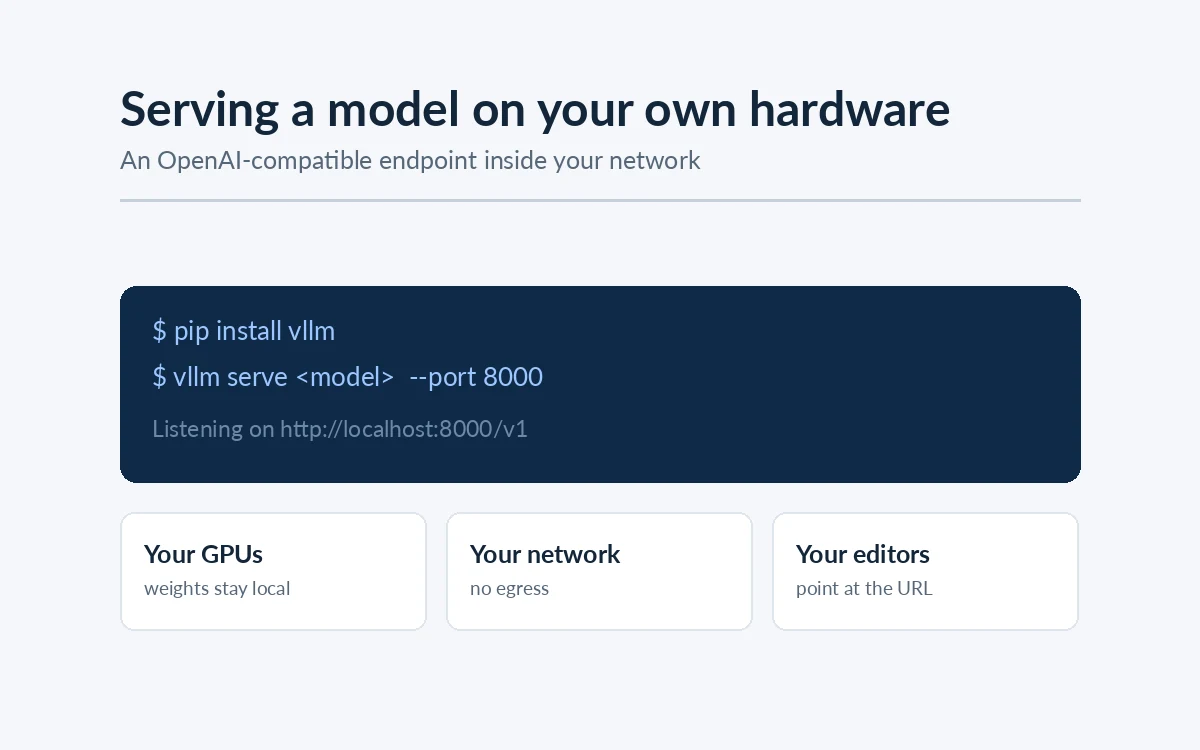
pip install vllm
vLLM ships compiled CUDA kernels, so the install is large and the version needs to match your CUDA setup. On a fresh machine this is the step most likely to need attention.
Step 2: Serve a model
vllm serve <model-id> --host 0.0.0.0 --port 8000
That downloads the weights if they are not present, loads them onto the GPU and starts an HTTP server. On first run the download dominates; subsequent starts are load time only.
Start with a small model. Confirming the pipeline works end to end on a 7B model before wrestling with a 70B one saves a great deal of time, because it separates "my serving setup is wrong" from "this model does not fit".
Step 3: Send a request
The endpoint is OpenAI-compatible, so:
curl http://localhost:8000/v1/chat/completions \
  -H "Content-Type: application/json" \
  -d '{
    "model": "<model-id>",
    "messages": [{"role": "user", "content": "Summarise what you are."}]
  }'
Any client library that speaks the OpenAI chat format works by pointing its base URL at your server. This is the single most useful property of the setup: application code written against a hosted API usually needs one line changed to run against your own hardware.
Step 4: The flags that actually matter
Defaults get you a response. These get you a deployment.
--gpu-memory-utilization — the fraction of VRAM vLLM may claim, default around 0.9. Raising it gives more room for KV cache and therefore more concurrent requests. Lower it if something else shares the GPU. This is your main lever on how many users you can serve.
--max-model-len — the maximum context length. vLLM reserves KV cache against this, so setting it to a model's full advertised window when your workload never uses it wastes memory you could have spent on concurrency. Set it to what you actually need.
--tensor-parallel-size — shards the model across multiple GPUs in one machine. Set it to your GPU count when the model does not fit on one card.
--quantization — serve pre-quantized weights. The practical effect is that a larger model fits on the hardware you have, at some quality cost that depends on the task.
--api-key — require a key. Do this before anything outside your own machine can reach the port.
Step 5: Make it a service
A process started in a terminal is not a deployment. At minimum:
- Run it under a supervisor (systemd or a container runtime) so it restarts on failure and survives a reboot.
- Put it behind a reverse proxy with TLS if anything other than localhost connects.
- Restrict access to the port at the network level, not only by API key.
- Log requests and latency somewhere you will actually look.
A model endpoint reachable on an internal network with no authentication is a data exfiltration route with a friendly interface. It is worth treating as seriously as any other internal service holding sensitive data.
Air-gapped installs
If the deployment target has no internet connection, the above changes in one important way: nothing may download at runtime.
- Fetch weights and Python dependencies on a connected machine, transfer them by your approved route, and install from local paths.
- Point the serving process at a local model directory rather than a remote identifier, so no lookup is attempted.
- Verify by pulling the network cable and restarting the service. A pipeline that quietly fetches a tokenizer or a config file on start will fail here, and this is the cheapest possible moment to find that out.
- Agree the update path in advance with whoever owns change control, because there will be updates.
This last point regularly catches teams. Some serving stacks and many commercial tools phone home at start-up for licensing or telemetry, which rules them out of a genuinely isolated network no matter what their documentation claims. Open-weight models served by open-source infrastructure avoid the problem structurally.
What this walkthrough has not given you
A served model answering requests is perhaps a fifth of a useful private AI system. Missing, and all of it real work:
- Retrieval over your own content, so answers come from your documents rather than the model's memory, with citations. See building a private knowledge assistant.
- Access control, so people only get answers from documents they may already read.
- An evaluation set, so you can tell whether a change improved the system or merely altered it.
- Monitoring, for latency, memory pressure and retrieval quality as content grows.
- Capacity planning, because the numbers from a single-user test tell you almost nothing about behaviour at twenty concurrent users.
Each is straightforward in isolation. Together they are the project.
How AxcelerateAI Helps
We build and hand over private deployments rather than leaving clients with a running process:
- Serving and sizing configured for your concurrency and latency targets, including air-gapped installs.
- The system around the model — retrieval, access control, evaluation and audit logging.
- Handover of code, weights and runbooks, so your team can operate and update it.