Hardware is usually the first real cost in a sovereign AI project, and the one teams are least equipped to estimate. The good news is that most of it is arithmetic you can do before you talk to a vendor.
This guide covers how to size GPU memory for inference. Training and fine-tuning have a different and considerably larger profile, which we cover separately in fine-tuning open models.
The three things competing for VRAM
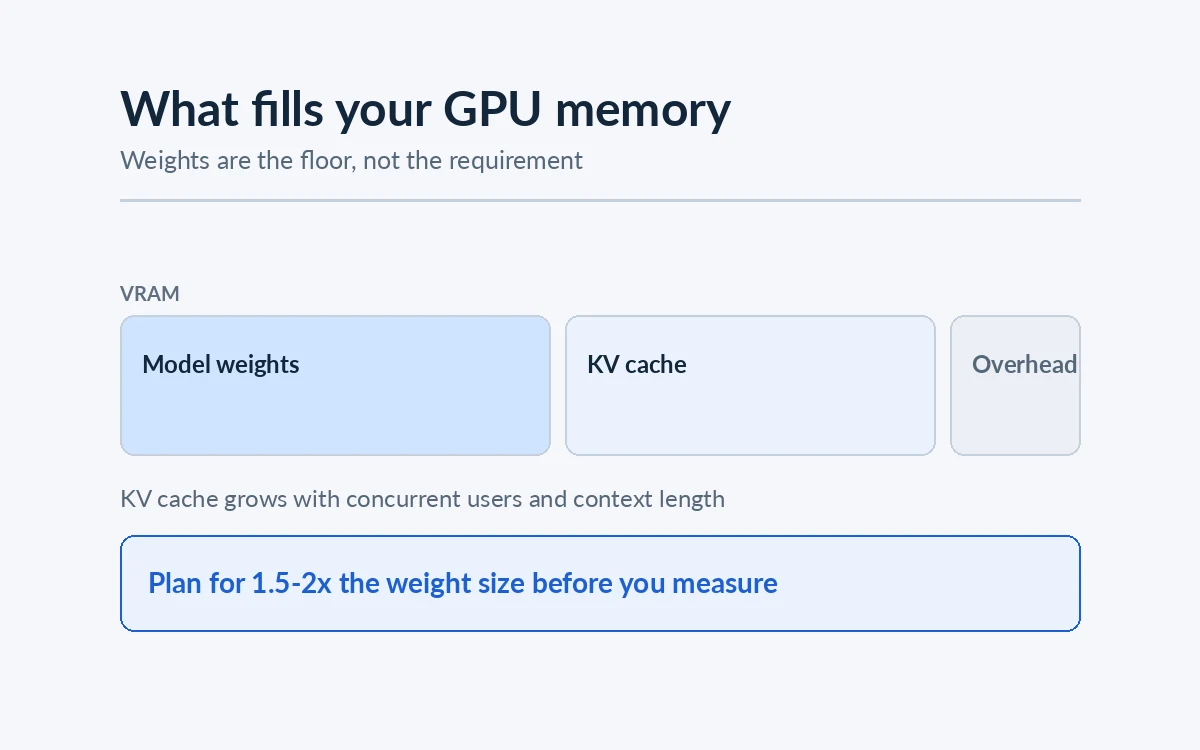
A served model needs memory for three distinct things, and teams routinely budget for only the first.
1. The weights
The predictable part. Memory for weights is approximately:
parameters × bytes per parameter
Where bytes per parameter depends on quantization:
| Precision | Bytes per parameter | 7B model | 34B model | 70B model |
|---|---|---|---|---|
| FP16 | 2 | ~14 GB | ~68 GB | ~140 GB |
| 8-bit | 1 | ~7 GB | ~34 GB | ~70 GB |
| 4-bit | ~0.5 | ~3.5 GB | ~17 GB | ~35 GB |
These are the floor, not the requirement.
2. The KV cache
This is the part that surprises people. As the model generates, it caches key and value tensors for every token in the context, for every layer. That cache grows with:
- context length — linearly, so doubling the context doubles the cache
- concurrent requests — each active request has its own cache
- model architecture — layer count, hidden size and attention scheme all feed into it
The practical consequence: a long context window costs memory whether or not you use it well, and serving twenty users is not the same problem as serving one. A configuration that runs comfortably in a single-user demo can exhaust VRAM the first day a team uses it.
Architectural choices in the model mitigate this. Grouped-query and multi-query attention schemes, now common in newer open-weight families, reduce KV cache size substantially compared to older multi-head designs. If you are memory-constrained and serving many users, this is worth checking before you choose a model.
3. Activations and overhead
Working memory during the forward pass, plus whatever the serving framework reserves. Smaller than the other two, but not zero, and a deployment sized with no headroom will fail under load rather than degrade.
A planning rule that holds up
For a first pass, before you benchmark anything:
Take the weight size at your intended quantization, then plan for roughly 1.5× to 2× that figure for a small number of concurrent users at moderate context lengths. For heavy concurrency or long contexts, measure rather than estimate — the KV cache can exceed the weights.
This is deliberately conservative. The point of the exercise is to establish whether you are shopping for one GPU or eight before anyone raises a purchase order.
What actually drives your requirement
Model size is one of four inputs, and frequently not the dominant one.
Concurrency. How many people will use it at once, at peak, not on average. An assistant for five researchers and one for five hundred employees are different systems, and the difference is mostly KV cache.
Context length. How much text goes into each request. A retrieval-grounded assistant that sends five passages needs far less than one designed to ingest entire contracts in a single prompt.
Latency target. Interactive chat tolerates a few seconds. Inline code completion does not — an assistant that is slow enough to notice gets switched off within a week, which makes latency a product decision rather than an infrastructure one. Batch document processing can tolerate far more and is much cheaper to serve.
Availability. If the system has to survive a GPU failure, you need capacity to spare. This is an obvious point that is nonetheless missing from most initial estimates.
Single GPU, multiple GPUs, or multiple machines
Three configurations, in rising order of operational cost:
- One GPU. Simplest by a wide margin. If your model fits quantized on a single card with room for your concurrency, take it. No inter-GPU communication, no distributed serving, far less to go wrong.
- Multiple GPUs in one machine. The model is sharded across cards connected by a high-bandwidth interconnect. Standard for larger models and well supported by mainstream serving frameworks.
- Multiple machines. Necessary at genuine scale, and a substantially different operational proposition. Worth avoiding until the load actually requires it.
The jump from the first to the second is where complexity enters. It is often worth a serious look at whether a smaller model, or better retrieval, keeps you on one card.
Edge deployments are a different calculation
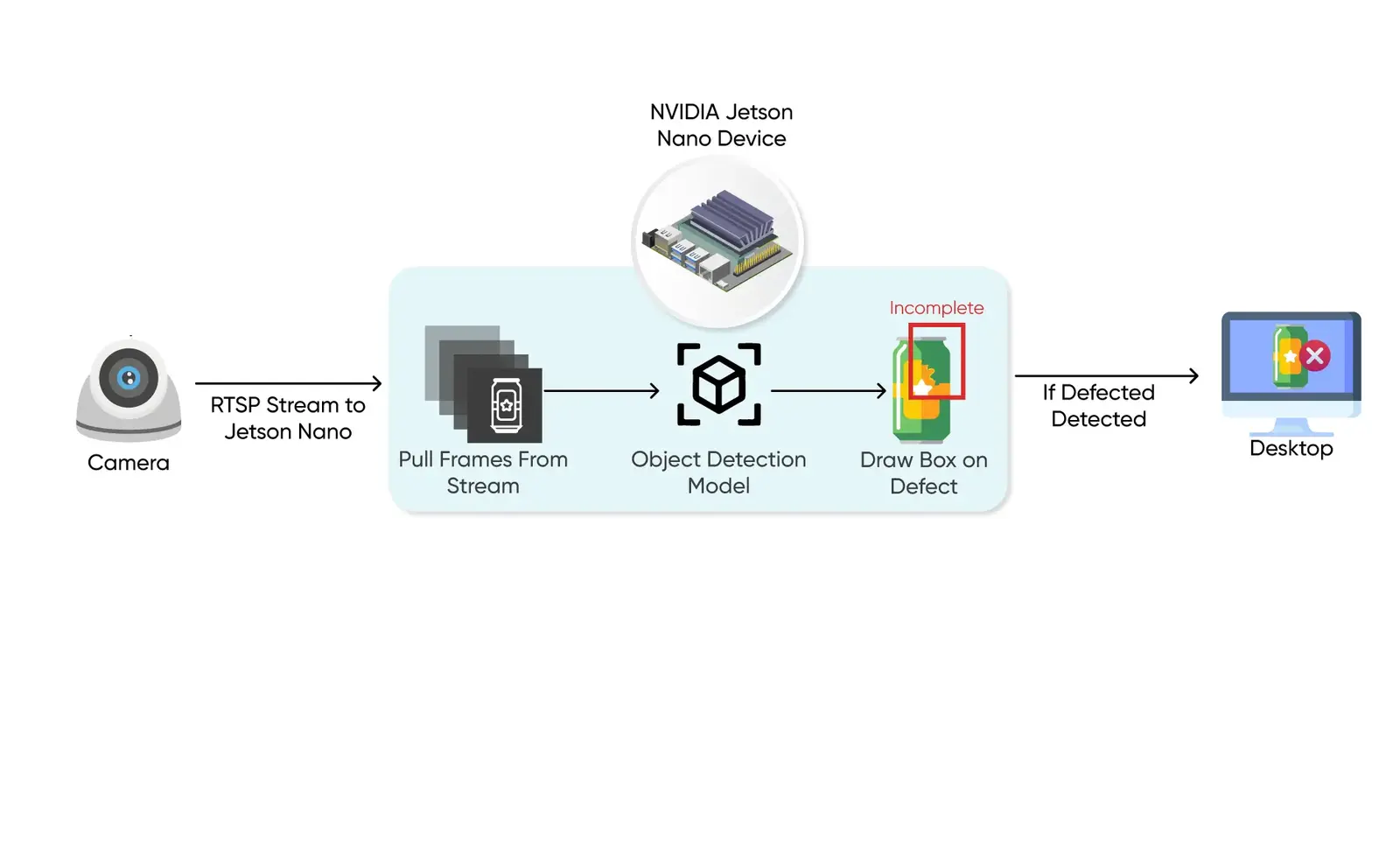
If the workload is vision at a physical site rather than language in a data centre, you are sizing embedded hardware instead: NVIDIA Jetson modules for YOLO-class models, where the constraints are power draw, thermals and how many camera streams a single device can handle. Our edge deployment services cover that side.
Many sovereign deployments end up with both: a language model on a server for document work, and vision models at the edge next to the cameras.
Buy, rent, or your own cloud account
Three routes, each honest for a different constraint:
- Buy the hardware where inference must stay on-premises or air-gapped, or where utilisation will be high and steady. Capital cost up front, predictable cost per request afterwards.
- Your own cloud account, in a specific region. Where the requirement is about jurisdiction rather than physical control, this satisfies most data residency rules with far less procurement.
- Rent for the pilot, buy for production. Frequently the right sequence. Rented GPUs tell you what your real concurrency and latency profile is, which is exactly the information you need to size a purchase properly.
The on-premises versus cloud trade-off plays out much the same way for language models as it does for vision.
Measure before you buy
Every number above is a planning estimate. Before a purchase order, run the actual model at the actual quantization under realistic concurrency and watch memory use. A pilot on rented GPUs costs a fraction of a wrong purchase, and it converts every assumption in this article into a measurement.
How AxcelerateAI Helps
We size hardware with clients during the assessment phase, before anything is bought:
- Sizing against your workload — concurrency, context and latency targets, not just model size.
- Quantization and serving configuration measured on your own hardware.
- Edge and on-premises deployment, including multi-stream vision on embedded devices.