Generative AI for tile makers
Generative AI Mosaic & AI Tile Mural Art
- Designs from a plain-English prompt
- Colours matched to your tile palette
- Tile counts and orders, not just pictures

Why automate custom design
Custom mosaic work doesn't scale by hand
Every bespoke piece needs a designer to interpret a description and map it onto tiles that actually exist.
Days per concept
Sketching a design and revising it with the customer takes days.Colours that don't exist
A render is useless if its colours are not in your catalogue.Manual grid mapping
Mapping artwork onto a tile grid by hand is slow and error-prone.
| Topic | Manual custom design | Generative design pipeline |
|---|---|---|
| Time to first design | Days of designer time per concept | Seconds from prompt to design options |
| Colour accuracy | Designer picks tiles by eye from the catalogue | Every colour snapped to a tile you stock |
| Layout | Grid mapped by hand, then checked | Tile grid generated with a count per tile colour |
| Ordering | Quote by email, then back and forth | Size, price and cart on the storefront |
How it works
From prompt to bill of materials
Generation is only the first step. The stages after it are what make the output something a workshop can build.
Design your own mosaic
1/4The customer describes the artwork they want in plain English, right on the store page.
- Stage 1
Capture the customer's idea
The customer types what they want in plain English on your storefront, along with the size and the room it is for. No design skills, no brief, no waiting.Prompt and size - Stage 2
Generate design options
Flux Dev turns the prompt into high-resolution artwork. Guidance scale and sampling are tuned, with mosaic-style prompt engineering, so results stay in a mosaic aesthetic rather than drifting into photo-realism.Several design variationsFlux DevPrompt engineering - Stage 3
Quantise colours to your palette
K-Means clustering reduces millions of generated colours to the size of your physical palette, typically 50 to 100 colours, and each cluster is matched to the nearest real tile by colour difference.Design in stocked tile colours onlyK-Means clusteringDelta-E matching - Stage 4
Convert to a tile grid
The quantised image becomes a precise tile grid, 5 mm for Mozaico, with edge-aware logic so outlines and fine detail survive the jump from pixels to discrete tiles.Manufacturing layout5 mm gridEdge-aware conversion - Stage 5
Price, order and manufacture
The customer enters the dimensions, sees the price and adds the piece to the cart. The system creates the product in Shopify and a bill of materials with the tile count per SKU for the workshop.Shopify order and bill of materialsShopify APIAutomated BOM
In production
The design-to-order flow we built for Mozaico
Mozaico sells custom mosaics worldwide. Their customers now go from a description to a ready-to-order tile layout on the store itself.
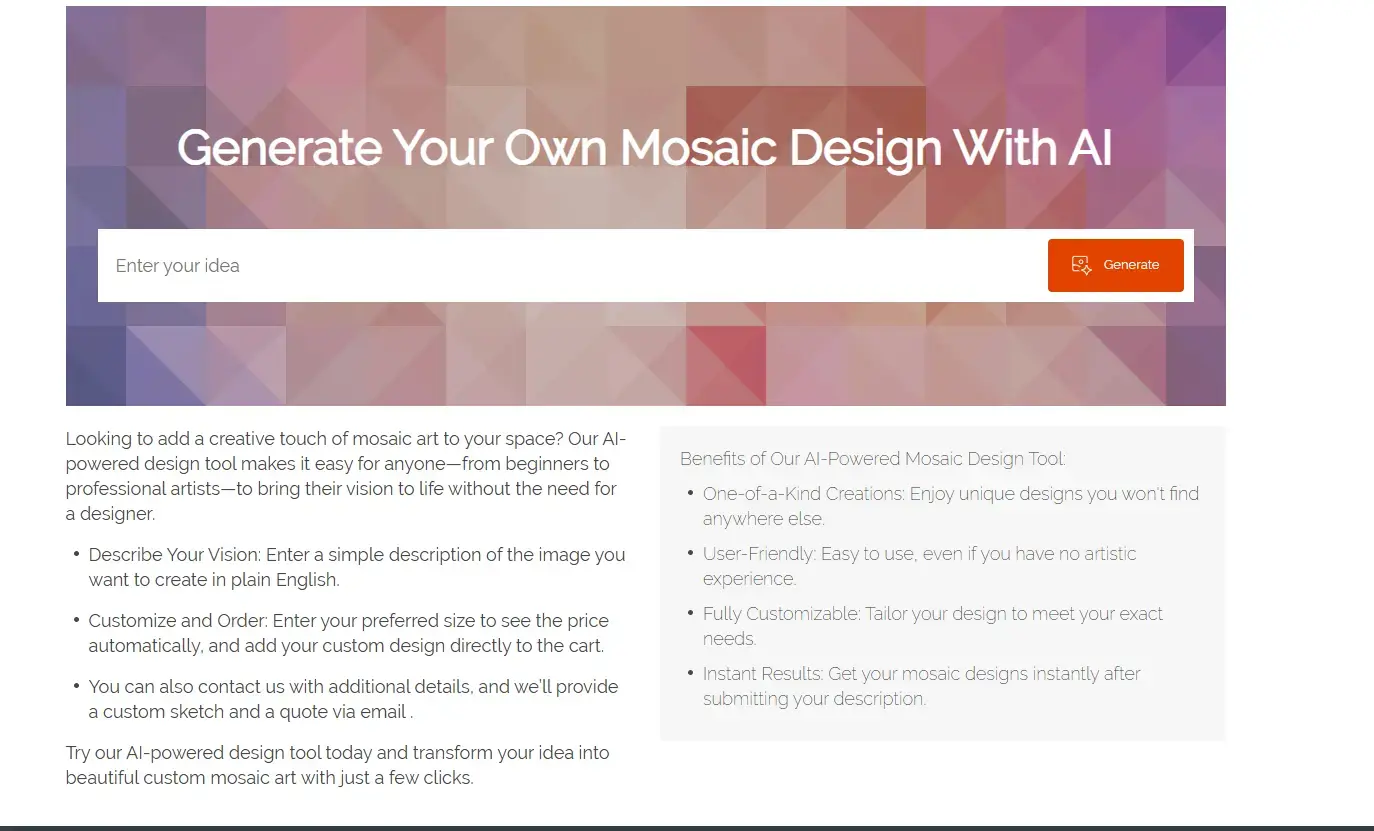
Step 1: the customer describes the piece
- Runs inside the existing store
- No design experience needed
- Sizes and options captured up front
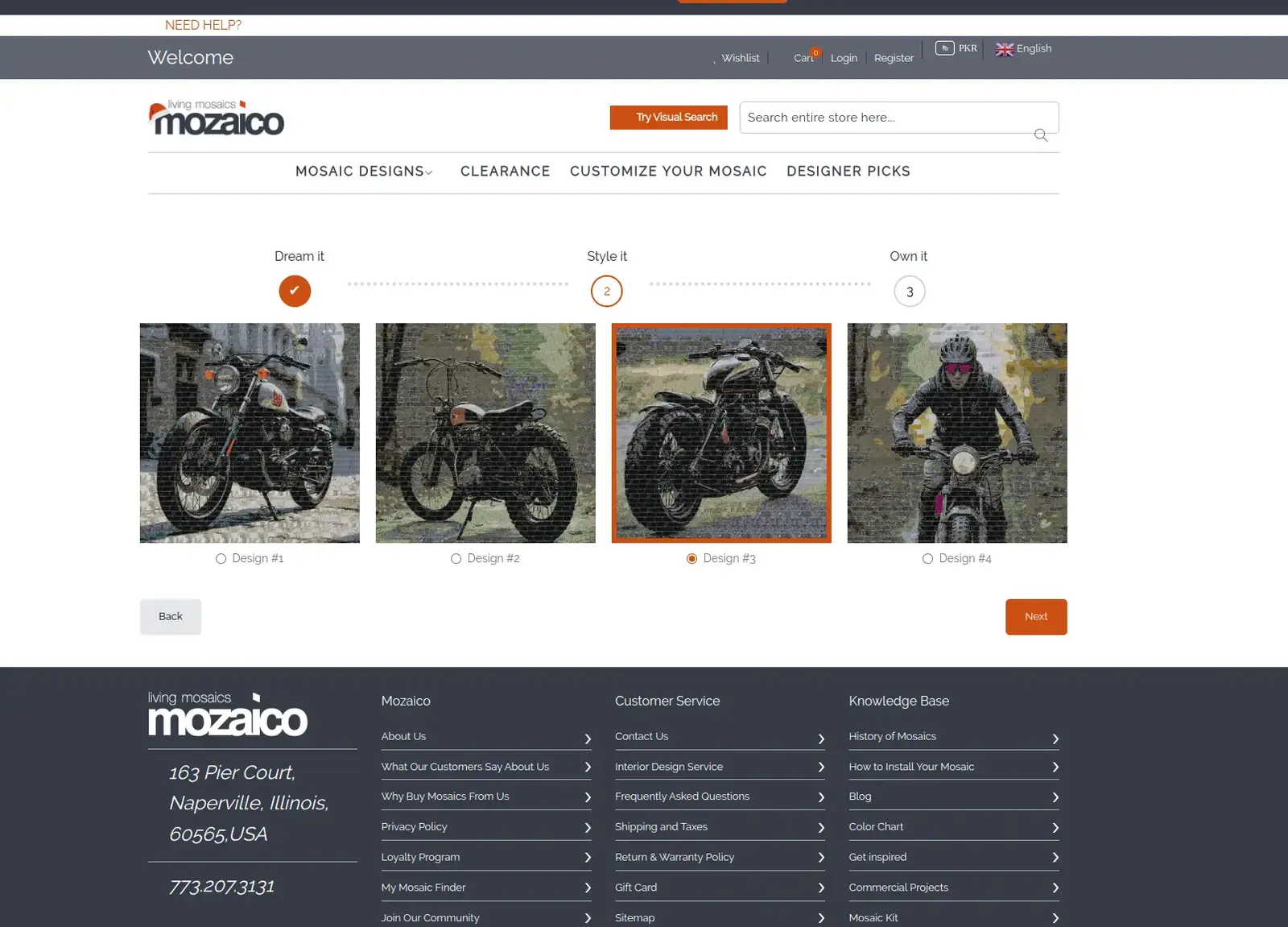
Step 2: pick from generated designs
- Multiple variations per prompt
- Mosaic aesthetic, not generic AI art
- Regenerate until the customer is happy
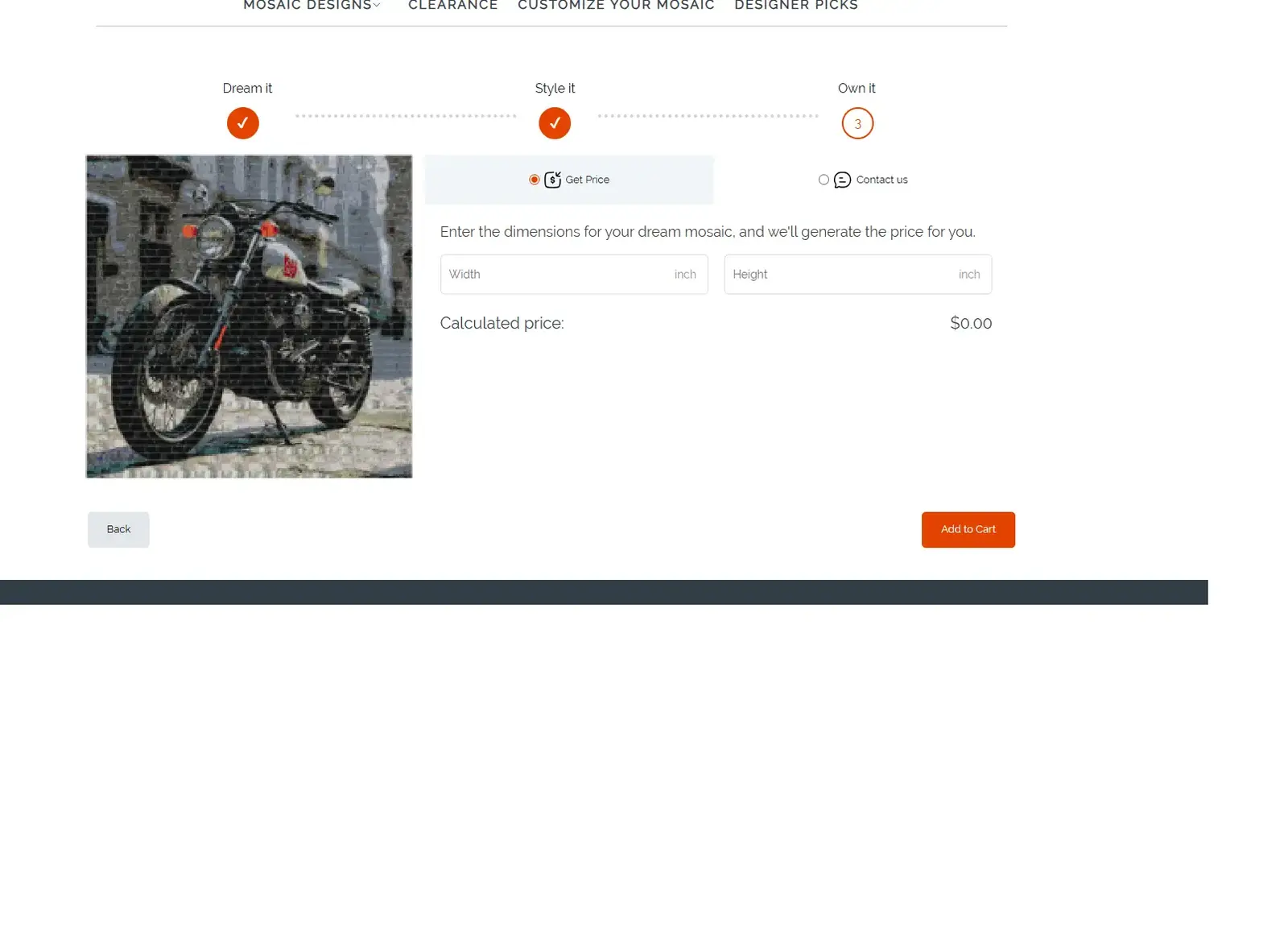
Step 3: size it, price it, order it
- Price generated from the dimensions
- Custom design added straight to the cart
- Tile counts per colour for production
Design showcase
Mosaic designs generated from prompts
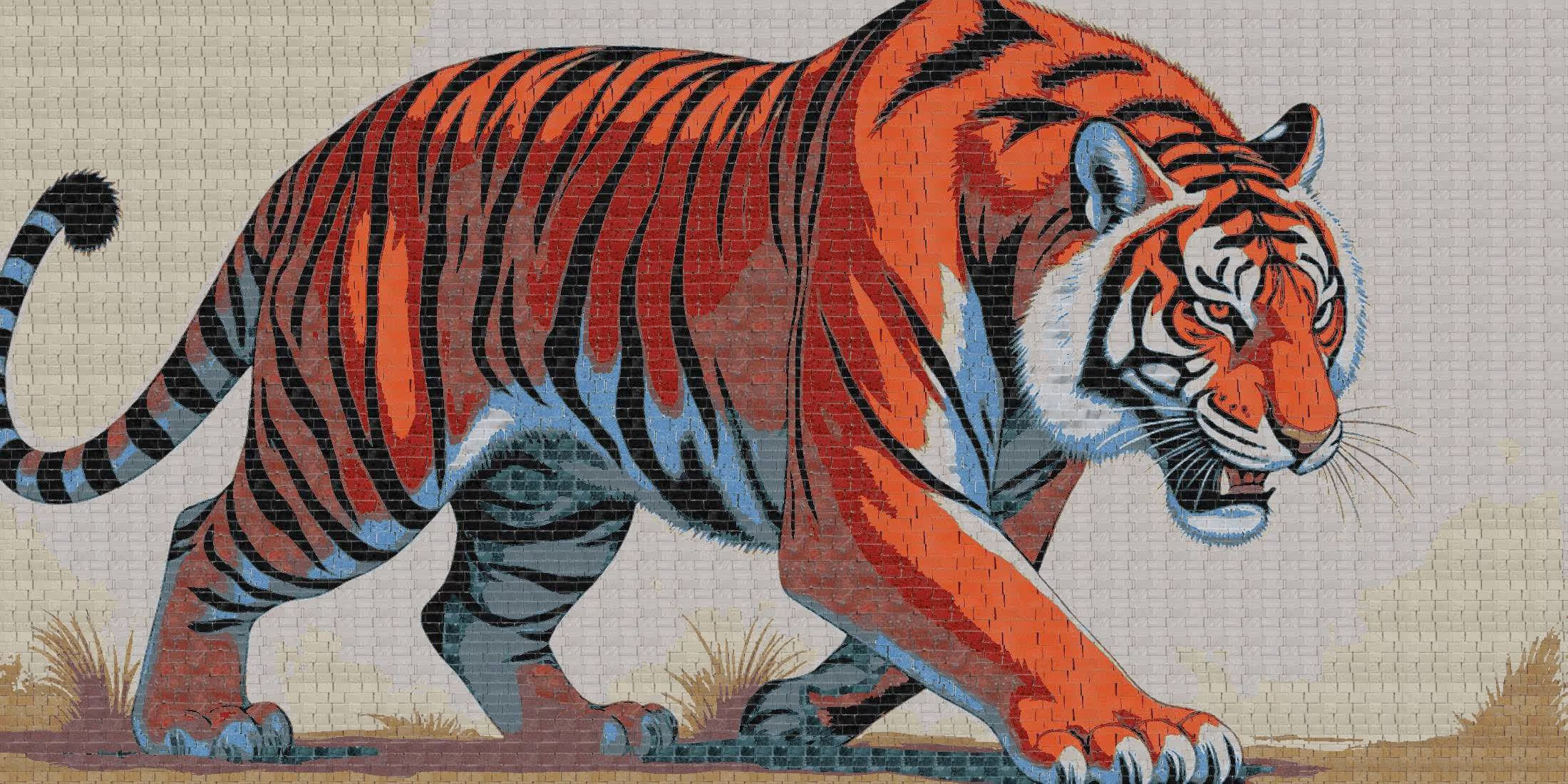
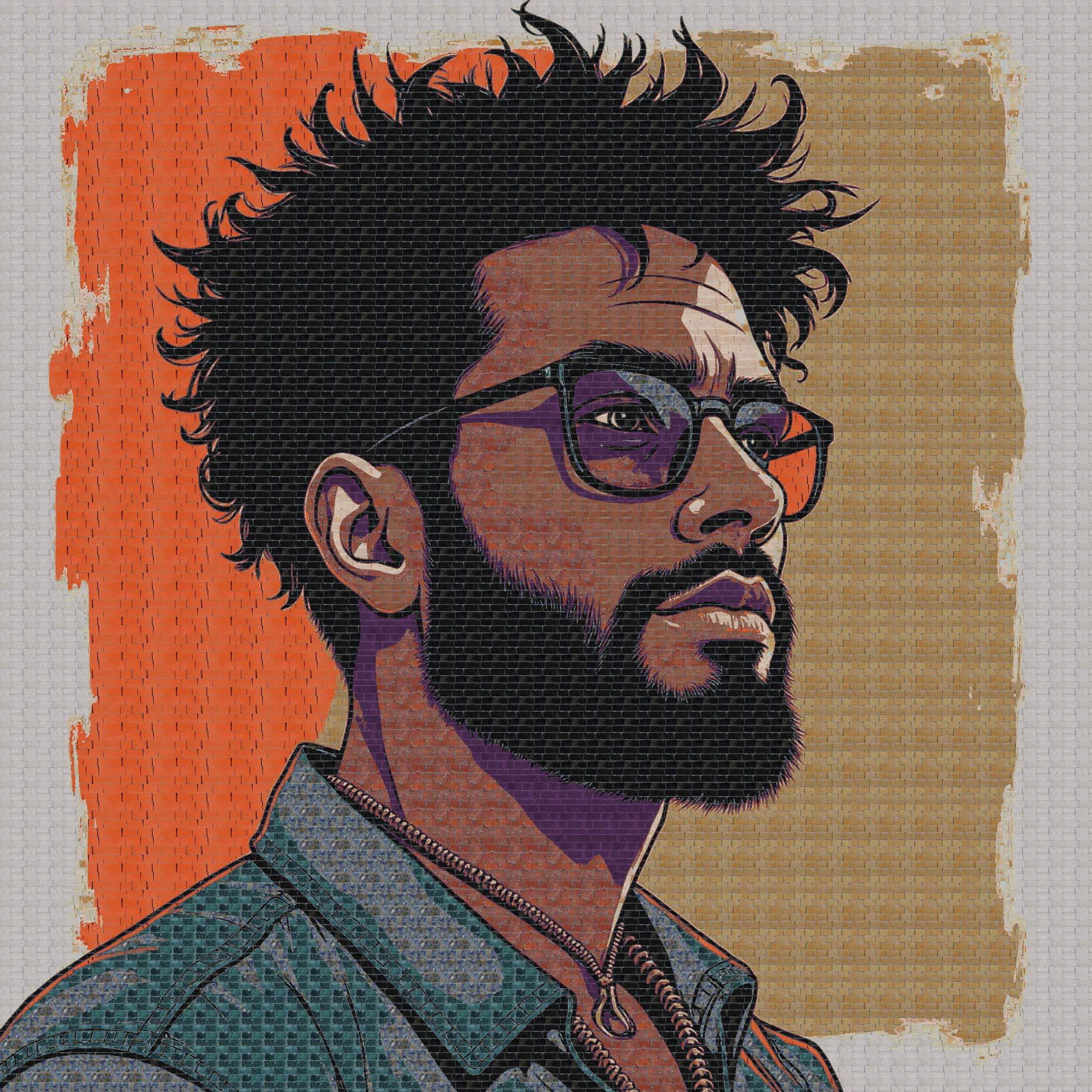
Each of these started as a sentence. The tile texture is part of the generation, so what you see is close to what the workshop lays.
Prompt: “A striding tiger in orange and blue glass tiles” Prompt: “A koi fish above flowers in deep blue water” Prompt: “A portrait in profile on a warm two-tone background” 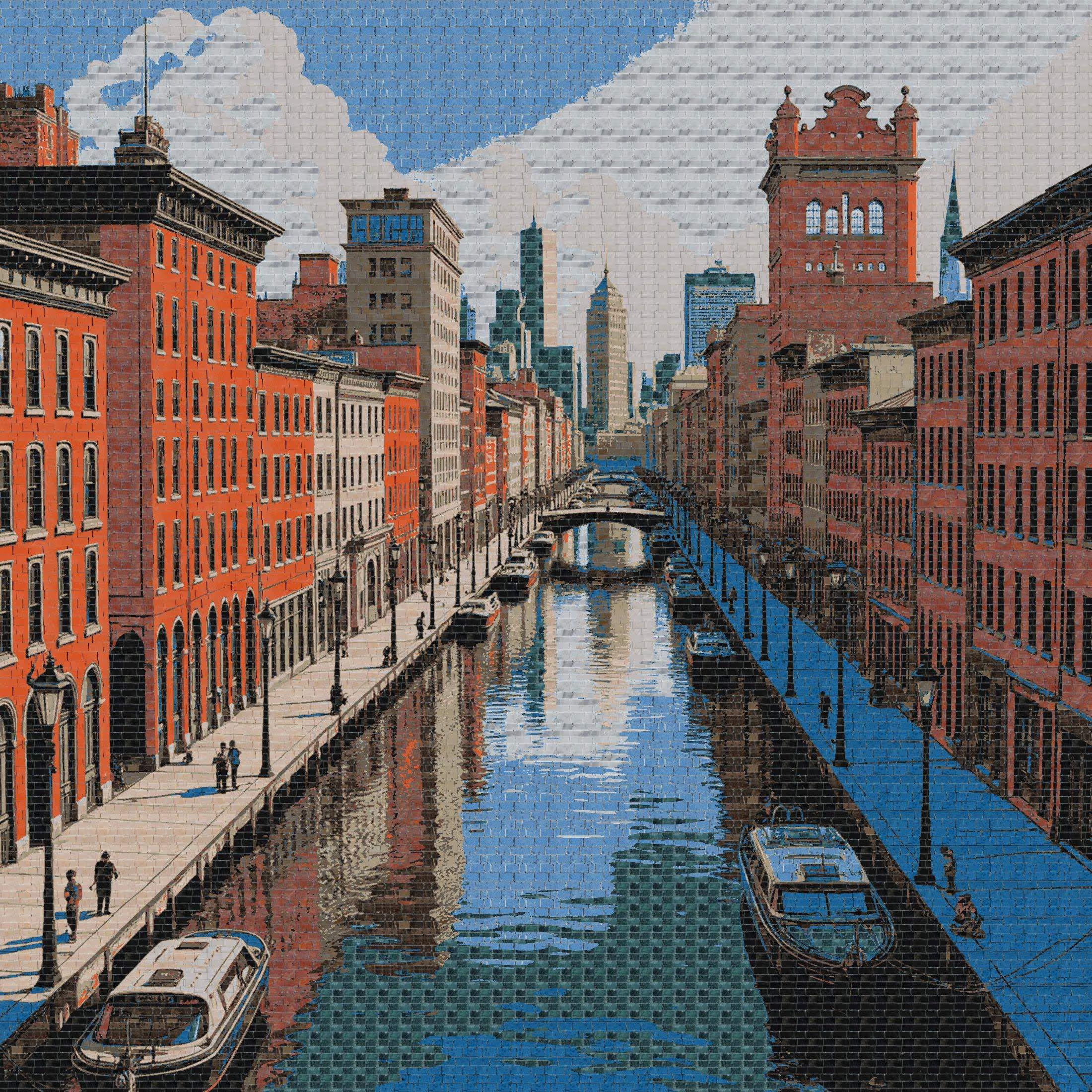
Prompt: “A canal between brick buildings, city skyline behind” 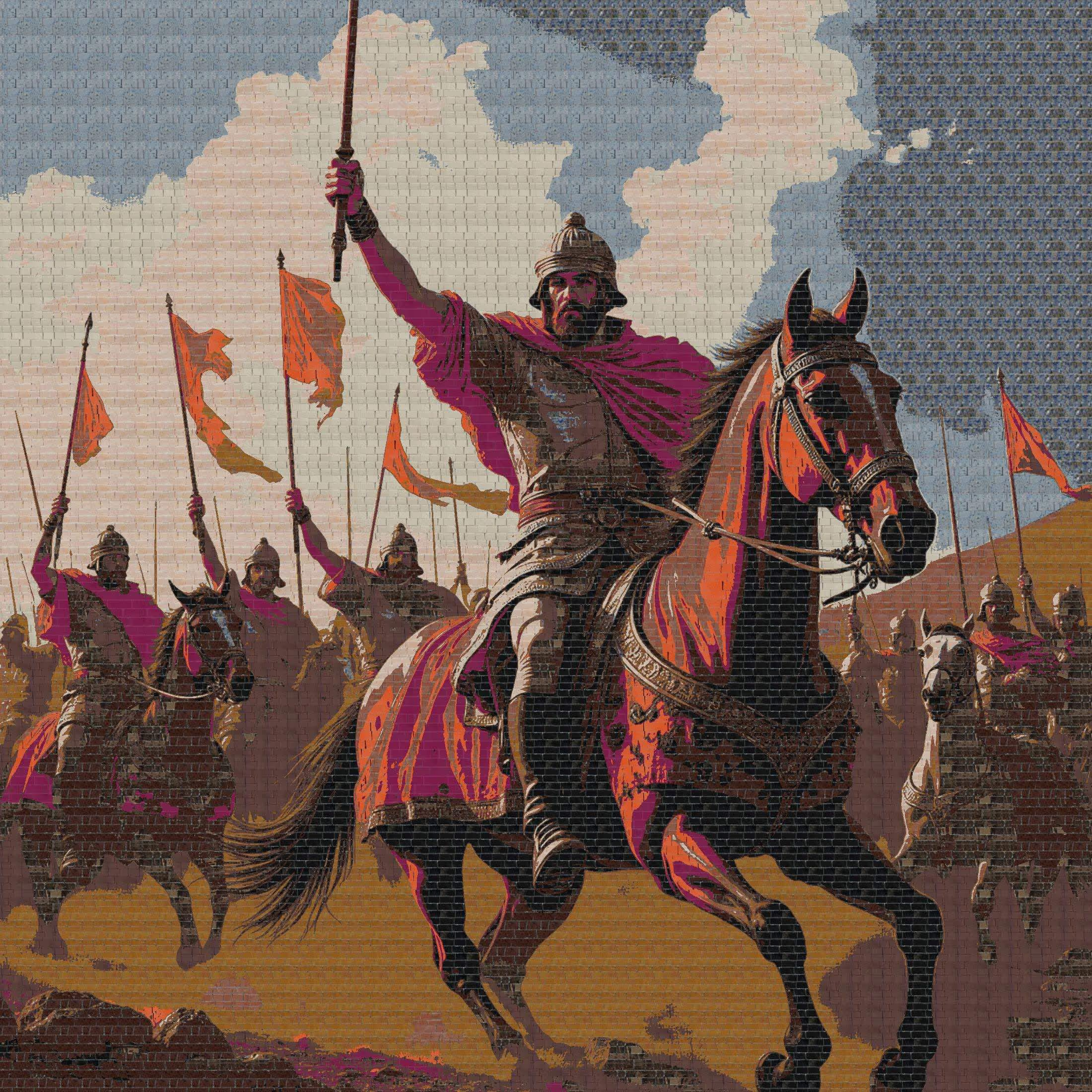
Prompt: “Riders with banners crossing a desert ridge” 
Prompt: “A red classic sports car, side three-quarter view”
What we build around it
The parts that make it a product, not a demo
A generator on its own creates pictures. These are the pieces that turn it into orders your workshop can fill.
Your material library
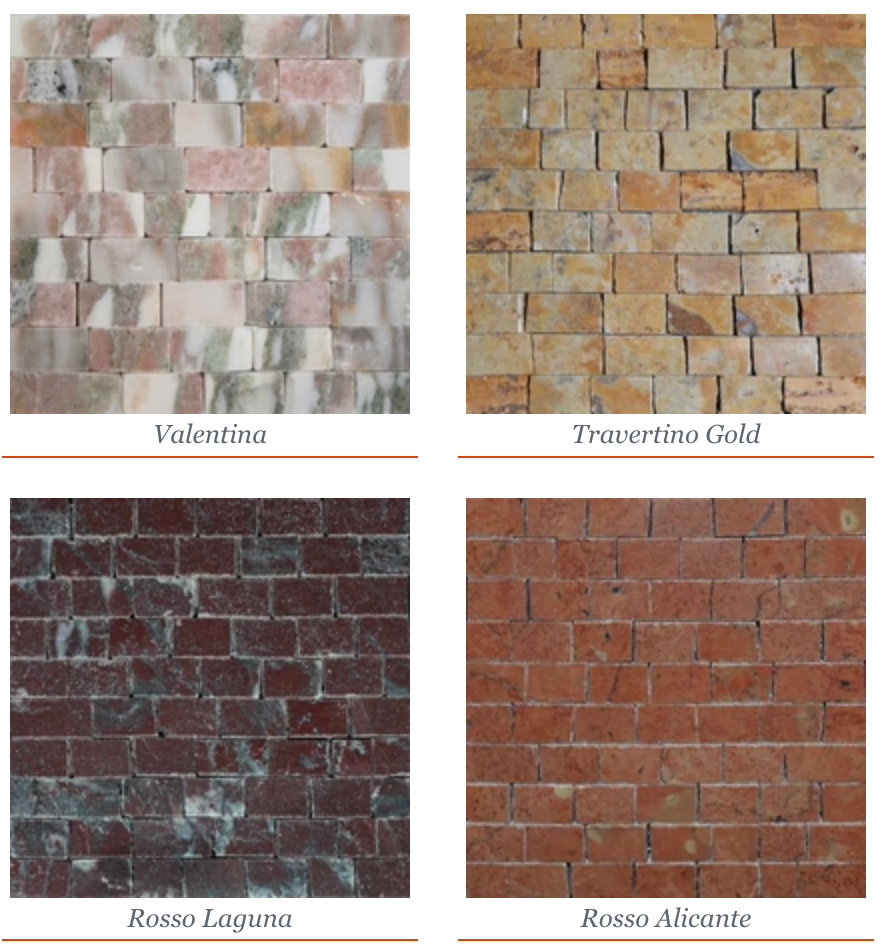
We take your physical tile collection, glass, marble or ceramic, and turn it into a colour palette the pipeline matches against, so every design is producible.Palette built from your catalogueStyle control
Prompt templates and model parameters keep output on-brand: classical, geometric or contemporary, rather than whatever the model feels like producing.Consistent house style per collectionGrid and size logic
Tile size, panel dimensions and edge handling are parameters, so the same design can be produced at different scales without redrawing it.Grid set to the tile size you manufactureBill of materials
Every approved design produces the tile count per SKU, so purchasing and production work from numbers instead of estimates.Counts per tile colour and SKUStorefront integration
Product creation, pricing by dimensions and cart handling in Shopify, so a custom design is an ordinary order for the rest of your systems.Shopify product and checkoutRoom previews
The same generative work sits behind our virtual staging pipelines, so a design can also be shown in a room before a tile is cut.Optional visualisation stepVirtual staging case study
Integration and deployment
Built into your store and your workshop
The pipeline is a service your systems call, not a separate tool your team has to visit.
- Shopify integration for product creation, pricing and checkout
- An API your own storefront or ERP can call if you are not on Shopify
- Generation on GPU infrastructure we size to your traffic
- Your catalogue, prompts and designs stay yours
API first
Generate, quantise and lay out as separate endpoints, so you can plug them into any flow.E-commerce sync
Designs become real products with prices, images and order data attached.Catalogue updates
Add or retire tiles and the palette updates; new designs use what you stock today.Production handoff
Layouts and tile counts exported for the workshop in the format your team already uses.
Getting started
Prove it on your own tiles first
We start with your catalogue and a handful of designs your team would normally draw by hand.
Step 1: Scoping call
30 minutes
We look at your tile catalogue, the styles you sell and how orders reach production today.
- NDA on request
Step 2: Proof of concept
4–6 weeks
A working prompt-to-layout pipeline on your palette, checked against designs your team has produced by hand.
- Judged by your workshop
Step 3: Production
Ongoing
Integrated with your storefront and production handoff, monitored, and tuned as your catalogue changes.
- You own the IP
Not sure this is the first thing to automate? Start with an AI Opportunity Audit and we will map where AI pays off across your business.
FAQ
Questions, answered
What tile makers and manufacturers ask before a pilot.
Want the engineering detail? Read the Mozaico case study.
The prompt goes to a Flux-based image model tuned for mosaic aesthetics, which returns design options. The chosen design is colour-quantised with K-Means clustering so it only uses colours you can actually supply, then converted to a tile grid with a count of tiles per colour that the workshop can lay out.
Generated images contain millions of colours, but a physical tile catalogue has a limited set. K-Means clustering reduces the image to the size of your palette (typically 50 to 100 colours), then each cluster is matched to the closest tile colour using colour-difference (Delta-E) matching.
For Mozaico the design is converted into a 5 mm tile grid, with edge-aware logic so fine detail survives the conversion to discrete tiles. The grid size is a parameter: we set it to the tile size you manufacture in.
Yes. For Mozaico the pipeline is integrated with their Shopify backend: the customer enters the dimensions they want, sees the price, and adds the custom design to the cart. The system produces a bill of materials listing how many tiles of each SKU the piece needs.
That is the point of the colour-matching step. We analyse your physical tile collection, glass, marble or ceramic, and build the palette from the colours you stock, so nothing is generated that you cannot produce.
A proof of concept on your own tile catalogue and design styles typically takes 4–6 weeks. We agree up front what "manufacturable" means for your workshop and measure the output against it.
Related
Keep exploring
- PropTechAI virtual stagingPhotorealistic staged listing photos that keep the room's real architecture.
- Computer visionCustom computer vision modelsModels trained on your own images, video and edge cases.
- CompanyCase studiesClient projects with the problem, the build and the measured results.
- Computer visionAI engineering servicesConsulting, custom models, training, edge deployment and managed services.
Book a strategy session
Talk to an AI engineer about your project
Tell us what you want to automate. The first call is a 30-minute working session with an engineer, not a sales pitch.
- Send the form, it takes 2 minutes
- We reply within 1 business day, under NDA if you need it
- A 30-minute call to scope feasibility and next steps